www.foscam.com
Shenzhen Foscam Intelligent Technology Co., Limited
Tel: 86 755 2674 5668 Fax: 86 755 2674 5168
5) The sender is denied by the server. Maybe the server need to authenticate the user, please check it and try
again
6) The receiver is denied by the server. Maybe because of the anti-spam privacy of the server
7) The message is denied by the server. Maybe because of the anti-spam privacy of the server
8) The server does not support the authentication mode used by the device
4.3.8 FTP Settings
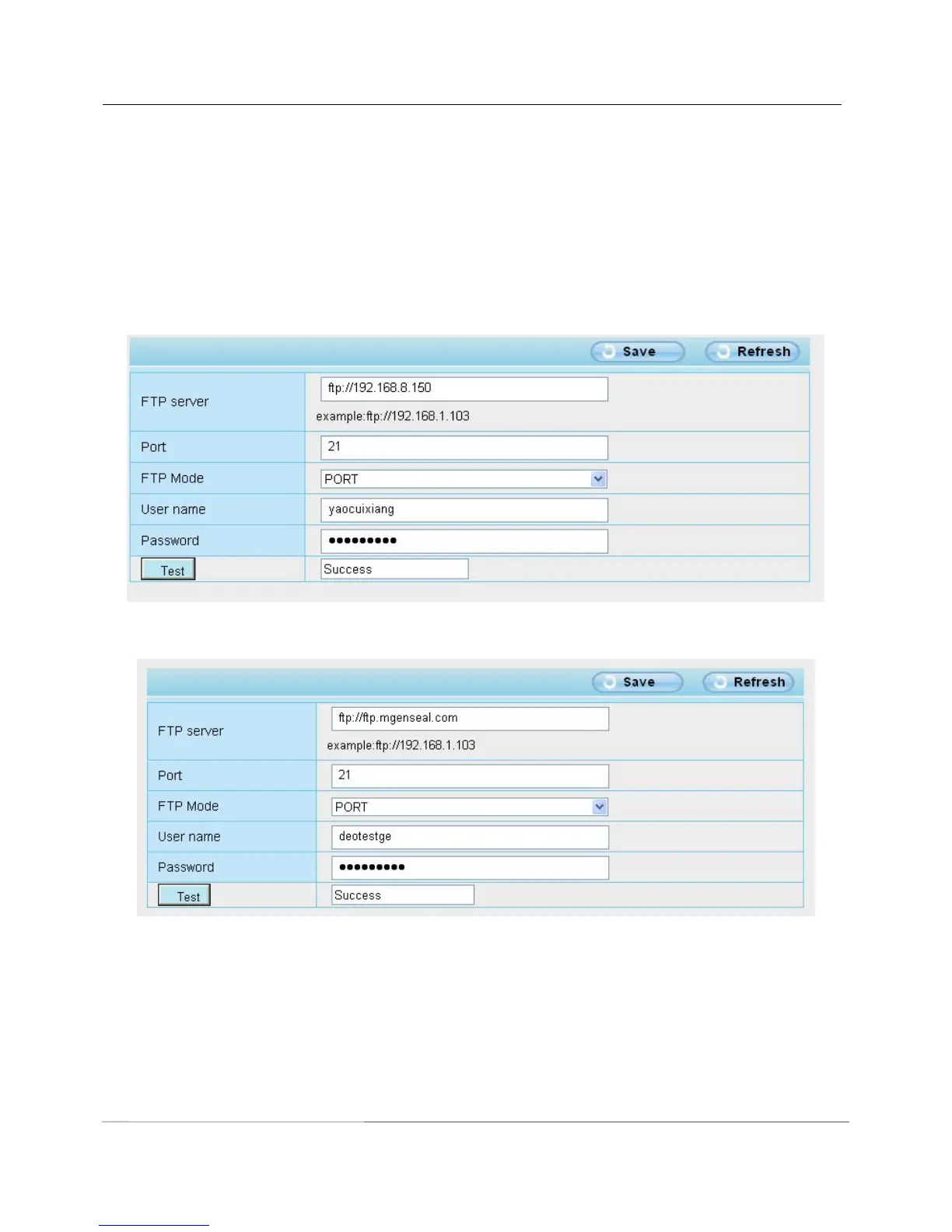
If you want to upload record files and images to your FTP server,you can set FTP Settings.
FTP server: If your FTP server is located on the LAN, you can set as Figure4.43.
If you have an FTP server which you can access on the internet, you can set as Figure 4.44
Port: Default is port 21. If changed, external FTP client program must change the server connection port
accordingly.
FTP Mode: Here supports two modes: PORT and PASV.
Username/password: The FTP account and password.



 To Next Page