www.foscam.com
Shenzhen Foscam Intelligent Technology Co., Limited
Tel: 86 755 2674 5668 Fax: 86 755 2674 5168
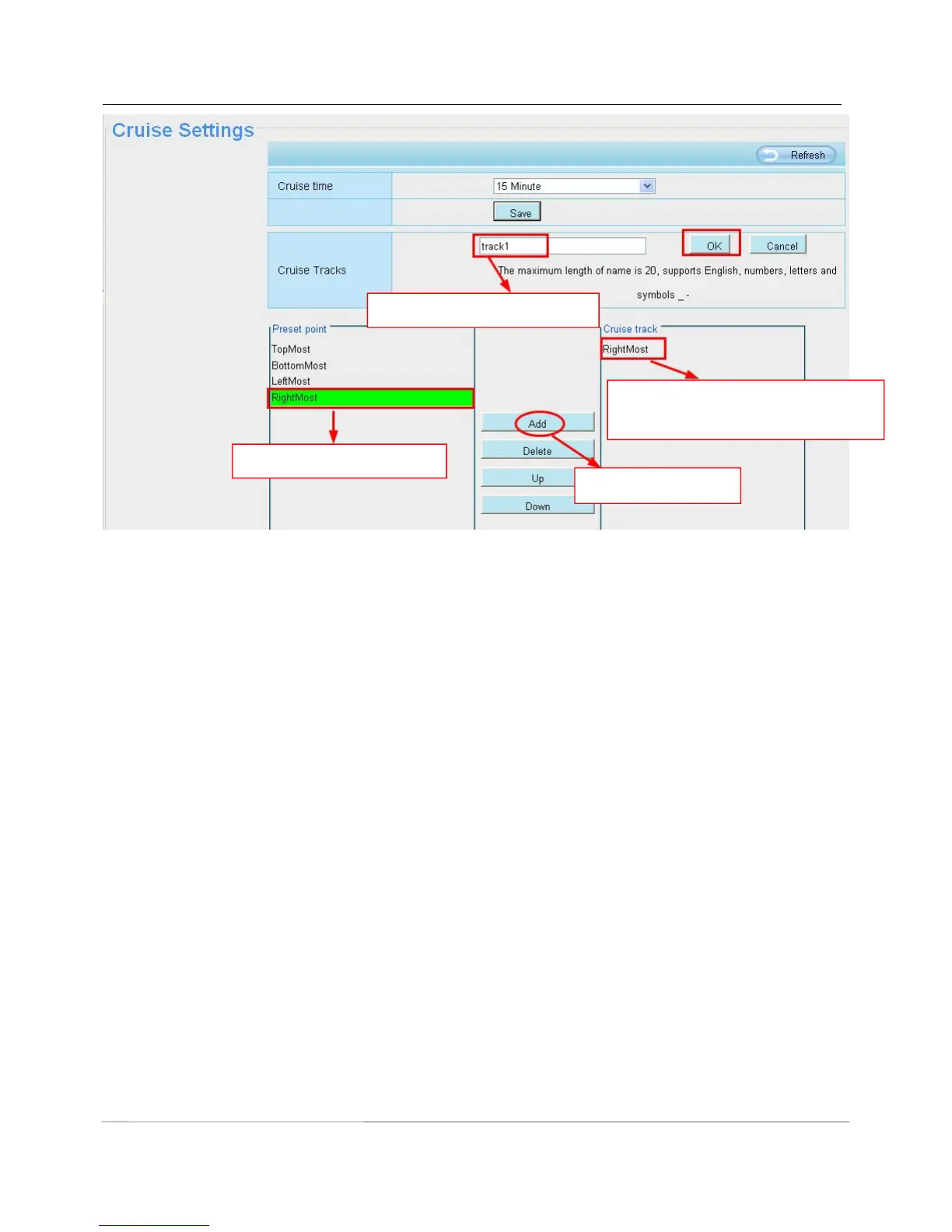
Thirdly: Click OK button and the cruise track will take effect.
You can add other cruise track as the same method.
For example: I have added three preset points to the “track 1”, that means : When I select the “track 1” on the
surveillance window, the camera moves as the following track: upright then Right Most last downleft.
The new added track name.
1 Select one preset point.
Here you can see the preset point
has been added to one track.



 To Next Page