Onscreen Mouse Control
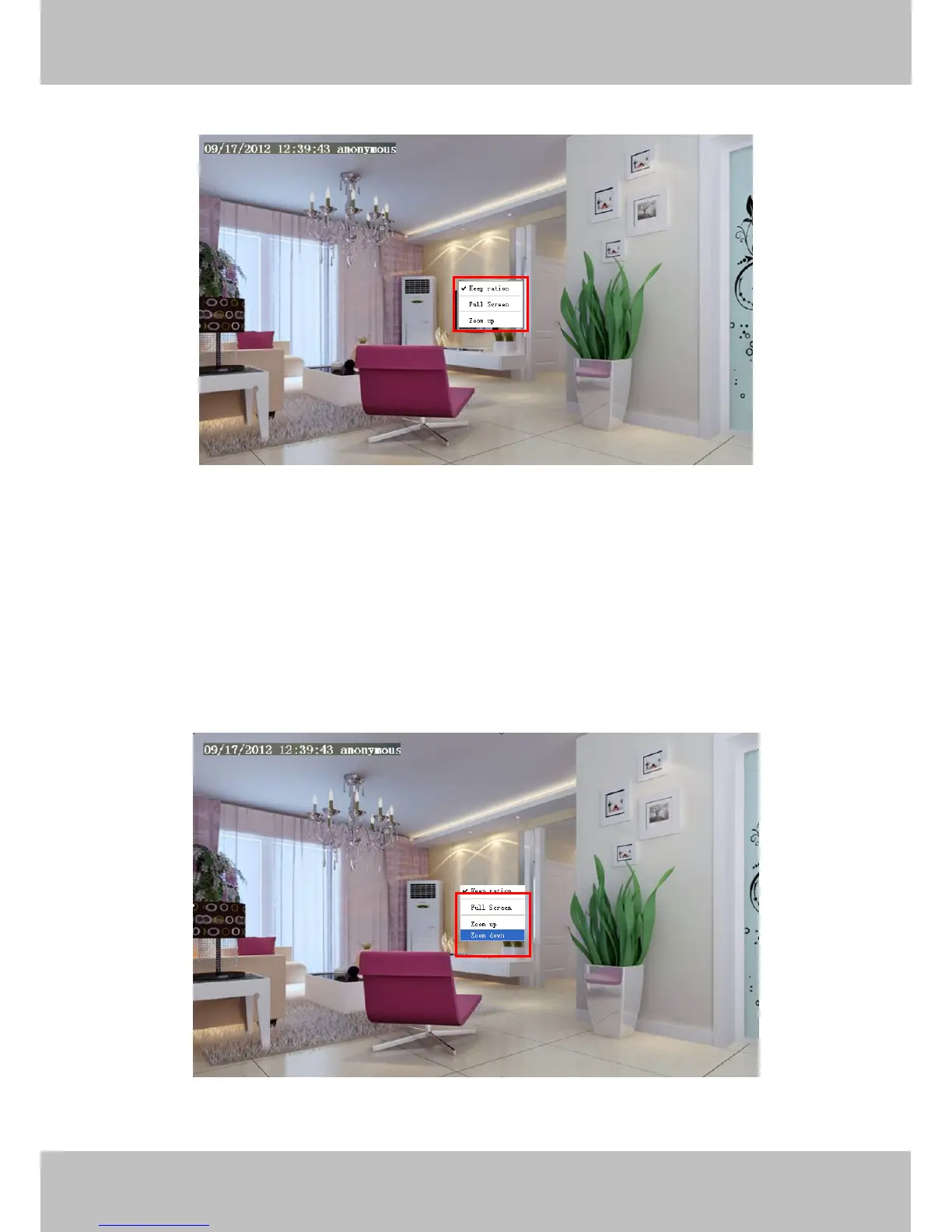
Right click the mouse and you can adjust the screen ration, full screen and Zoom up.
Figure 3.9
Keep ration: Select it and the camera will adjust the size of live window based on the the computer monitor
automatically. Sometimes there is a black border around the video, please select Keep ration to get a better
visual quality .
Full Screen: Select it and Click it to make full-screen, press ESC and exit full-screen.
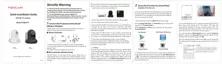
Zoom up: Select it and you can see a bigger screen than before.
First Method: Here is a convenient and fast solution to Zoom up/down screen by Clicking Video Screen and
adjusting Mouse pulley, or by pressing the CTRL key and clicking the mouse left button.
Second Method: Click it and the live view will be digital zoomed up, then click Zoom Down and the live view
back to original size.
Figure 3.10
When you select the Full Screen, then click right mouse, there is a Screen PTZ button.



 To Next Page