4.5 Alarm
IP Camera supports Motion Detection Alarm, when the motion has been detected, it will send emails or
upload images to FTP.
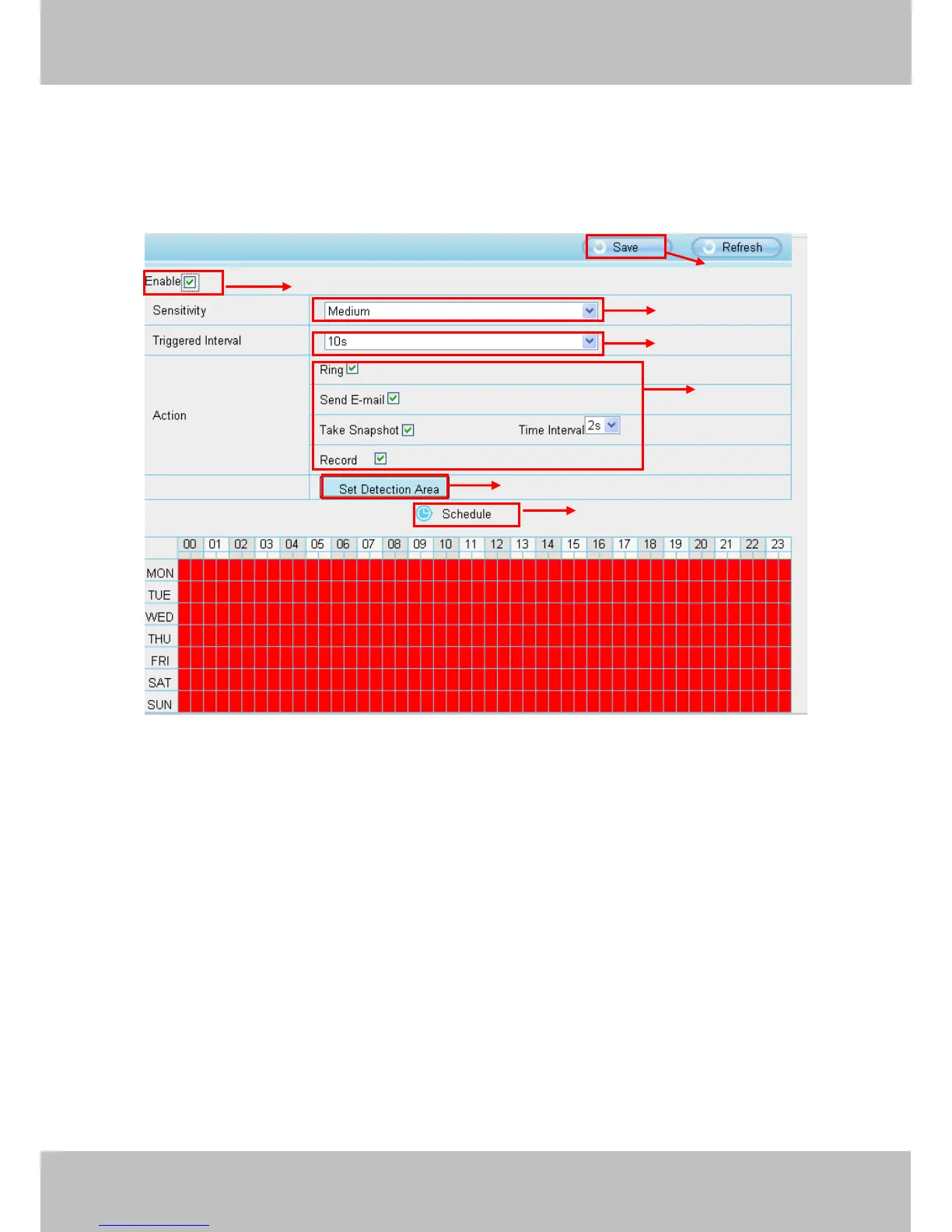
Step 01: Enable Motion detection
Step 02: Sensitivity---- It supports three modes: Low, Middle and High. The higher the sensitivity, the camera
will be more easily alarmed. Select one motion sensitivity.
Step 03: Trigger interval--- The interval time between two motion detections. Here supports
5s/6s/7s/8s/9s/10s/11s/12s/13s/14s/15s. Select one interval time.
Step 04: Select the alarm indicator
When the motion has been detected, the alarm status will turn to Detect alarm.



 To Next Page