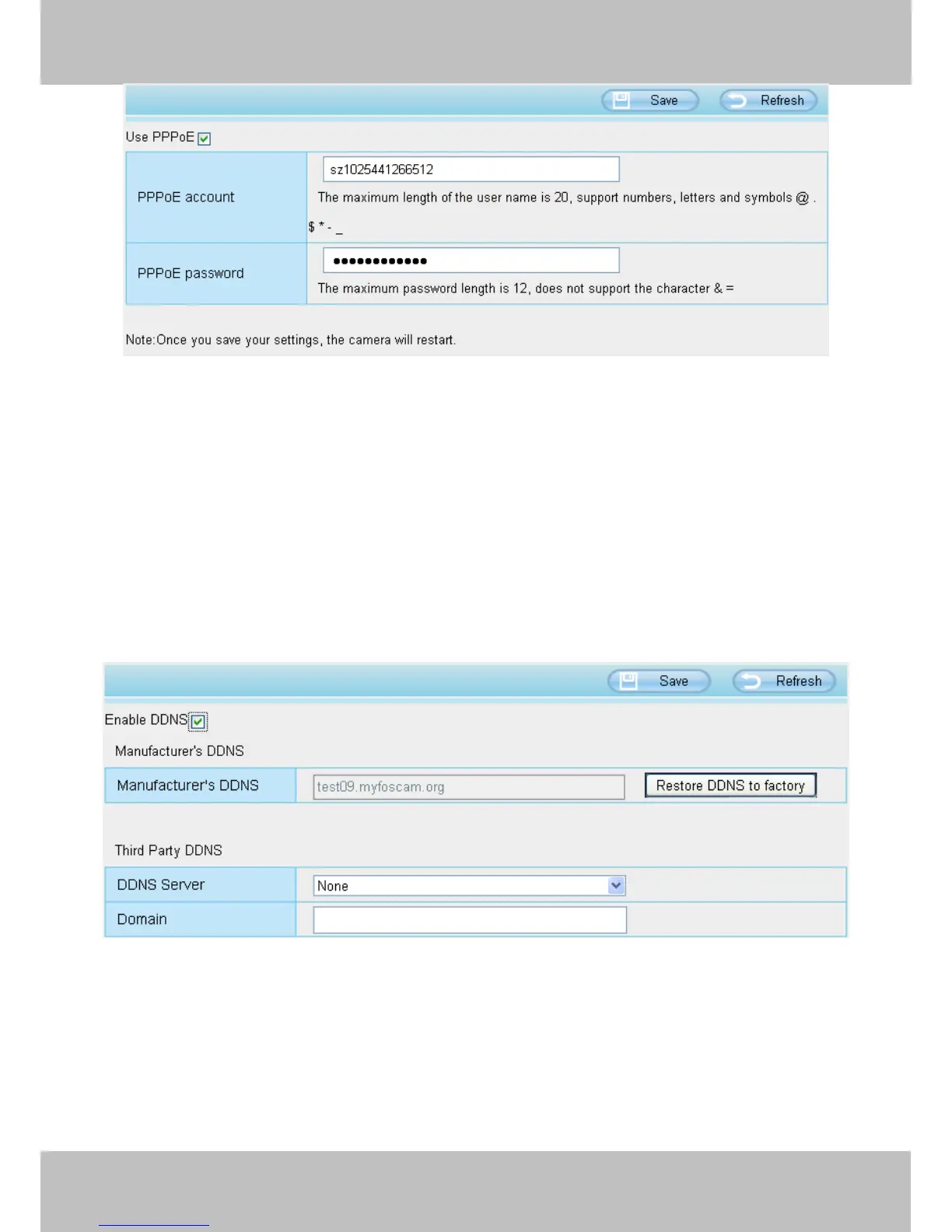
4.3.4 DDNS
FOSCAM camera has embedded a unique DDNS domain name when producing, and you can directly use the
domain name, you can also use the third party domain name.
FOSCAM domain name
Here take test09.myfoscam.org for example. Go to option of DDNS on the Settings->Network panel, you
can see the domain name.
Now you can use http:// Domain name + HTTP Port to access the camera via internet.
Take hostname test09.myfoscam.org and HTTP Port no. 800 for example, the accessing link of the camera
via internet would be http:// test09.myfoscam.org:800
Restore DDNS to factory: If you have configured Third Party DDNS successfully, but you want to use
Manufacturer’s DDNS again , here click this button and start Manufacturer’s DDNS Service.



 To Next Page