www
www
.foscam.
.foscam.
us
us
Foscam Digital Technologies LLC
Telephone: 1-800-930-0949
After the port forwarding is finished, you can use the domain name+ http no.to access the camera via internet.
Take hostname ycxgwp.no-ip.info and http no. 2000 for example, the accessing link of the camera via
internet would be http:// ycxgwp.no-ip.info:2000
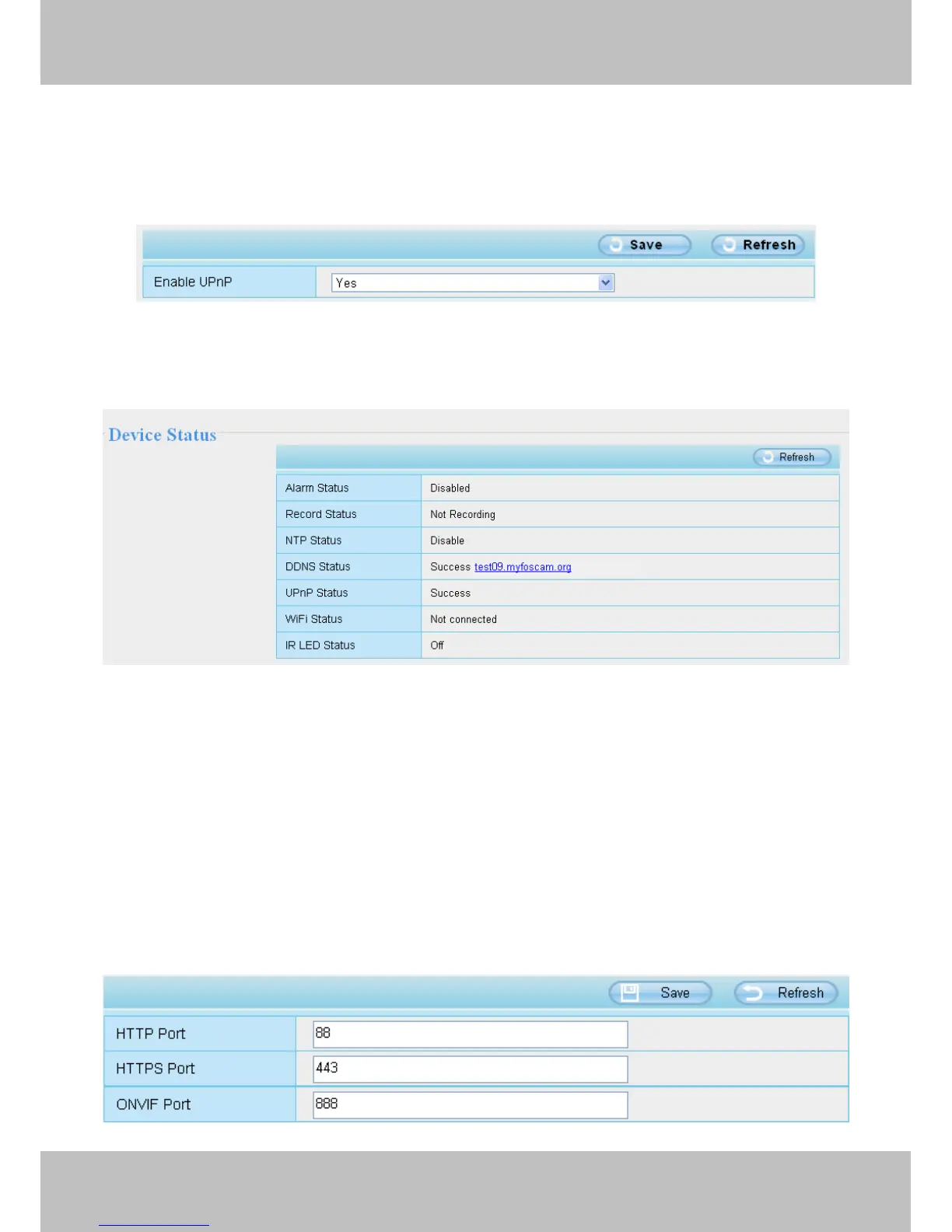
4.3.5 UPnP
The default UPnP status is closed. You can enable UPnP, then the camera’s software will be configured for
port forwarding. Back to the “Device Status” panel, you can see the UPnP status:
The camera’s software will be configured for port forwarding. There may be issues with your routers security
settings, and sometimes may error. We recommend you configure port forwarding manually on your router .
4.3.6 Port
This camera supports HTTP Port. HTTP Port is used to access the camera remotely. If you want to access the
camera and view the video, the HTTP Port must both be configured correctly.
HTTP port: By default, the HTTP is set to 88. Also, they can be assigned with another port number between 1
and 65535. But make sure they can not be conflict with other existing ports like 25, 21.



 To Next Page