7.1.1.2 Uninstall the ActiveX of Firefox browser.
After upgrading the camera’s software version, in order to experience the new version better, you may need to
uninstall the old ActiveX before, and then install a new one. TO uninstall the old ActiveX, you could do as
follows:
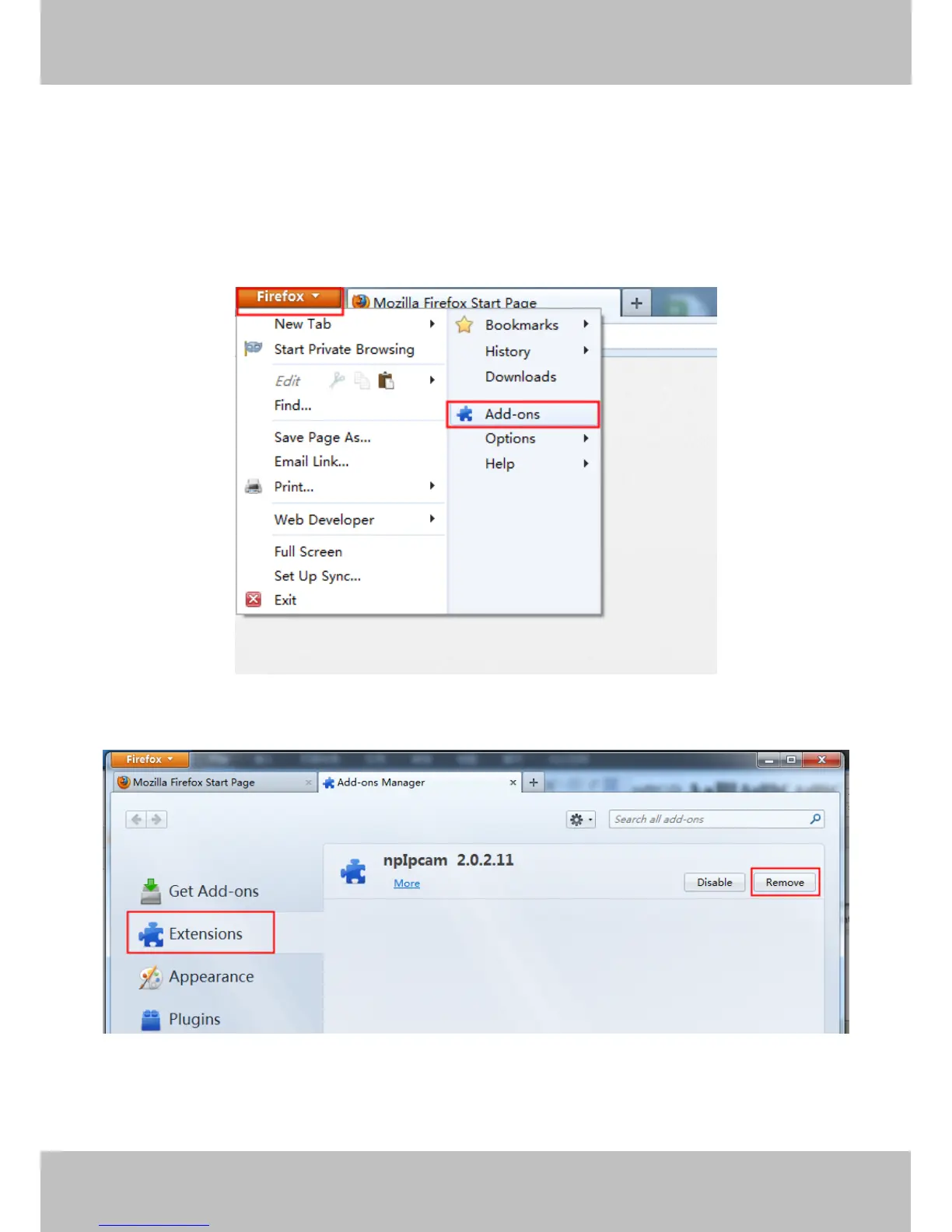
1. Click on the top left of the Firefox browser menu bar, and then click "Add-ons".
Figure 7.6
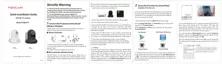
2. Click “Remove”.
Figure 7.7
3. After the ActiveX is removed, click “Restart now”.



 To Next Page