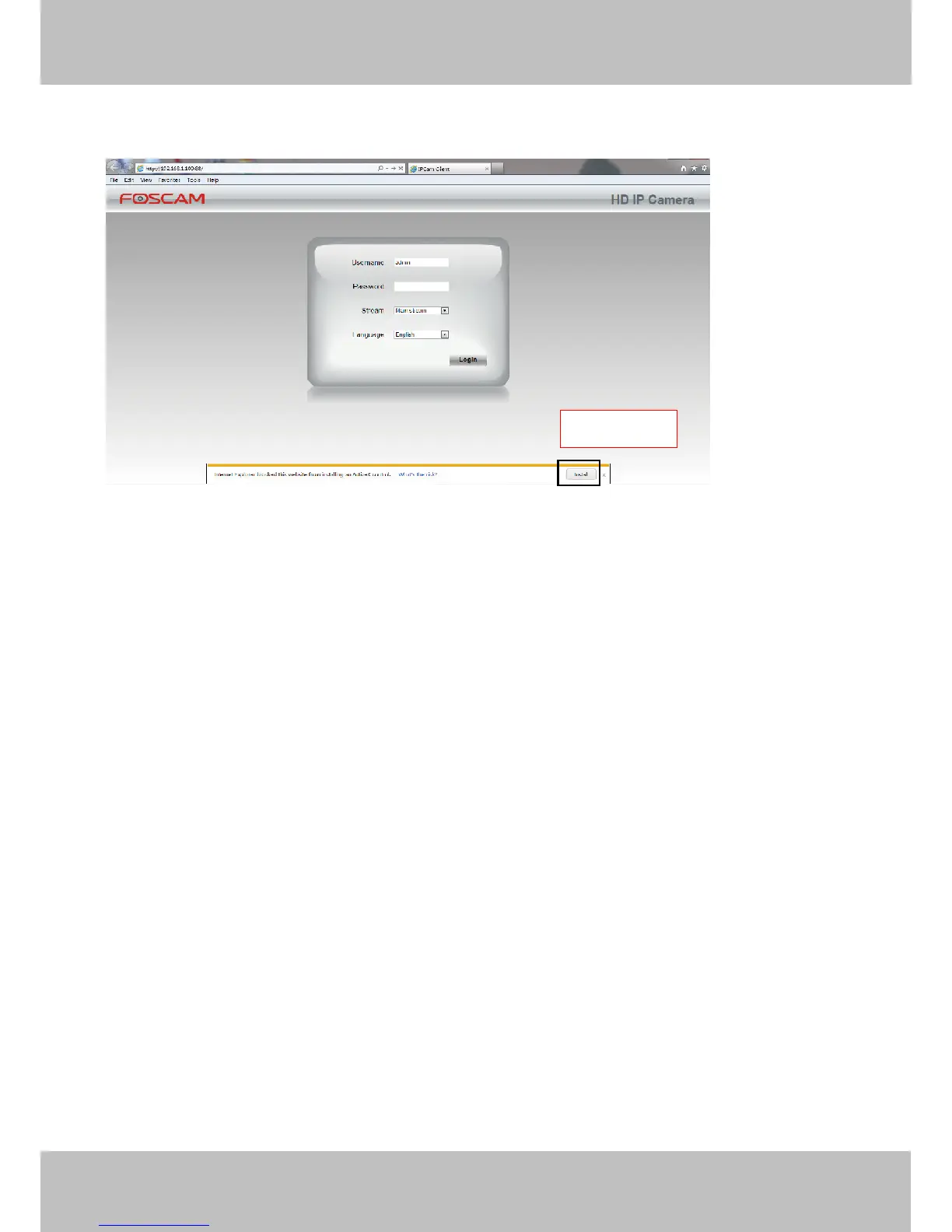
7.1.3.1 Install the ActiveX of IE browser.
Figure 7.15
7.1.3.2 Uninstall the ActiveX of IE browser.
After upgrading the camera’s software version, in order to experience the new version better, you may need to
uninstall the old ActiveX before, and then install a new one. TO uninstall the old ActiveX, you could do as
follows:
1. Close the IE browser, and then re-open it, making sure the IE does not load ActiveX (The IE browser will
automatically load the ActiveX when using it to open the IPC website.)
2. Click the settings icon in the top right of the IE browser, find and click "Manage add-ons."



 To Next Page