Note: T s are intend
backlight will remain on for 5 seconds whe ck up battery
power only. Only when you use power a light
be continuously on.
3. Keep both sensor and the display console together for 15 minutes
to lock in the sensor signals.
. Spin the wind cups to simulate wind speed. Take the sensor to the
r into the rain bucket to simulate rain.
w the mounting instructions for proper
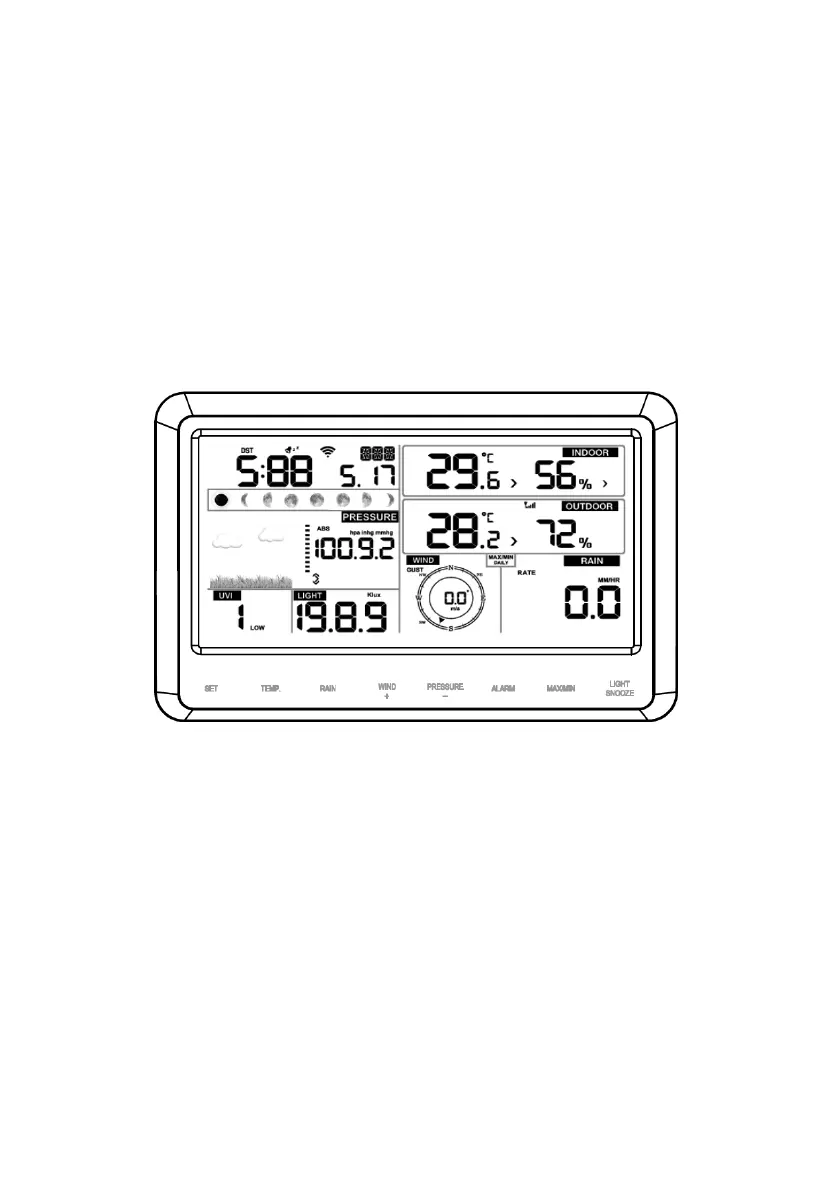
Figure 13
Note: Your display console should have readings in all sections. Wind
and Rain will show 0’s (connected) until wind or rain occur or are
simulated.
Note: If you only use battery to power up display console, you must
press LIGHT/SNOOZE key to light up the LCD before press any other
key.
5.4.1 V
The
In a
the console also includes a vertical desk stand to improve the viewing
able on a desk, as shown in Figure 14.
he batterie ed for back-up power only. The
n on ba
dapter it will the back-
4
sink and slowly drip wate
5. After 15miuntes, follo
placement of sensors.
ertical Desk Stand
console is best viewed above from a 20 to 30 degree angle.
ddition to the fold out desk stand on the back of the display, console,
13



 To Next Page