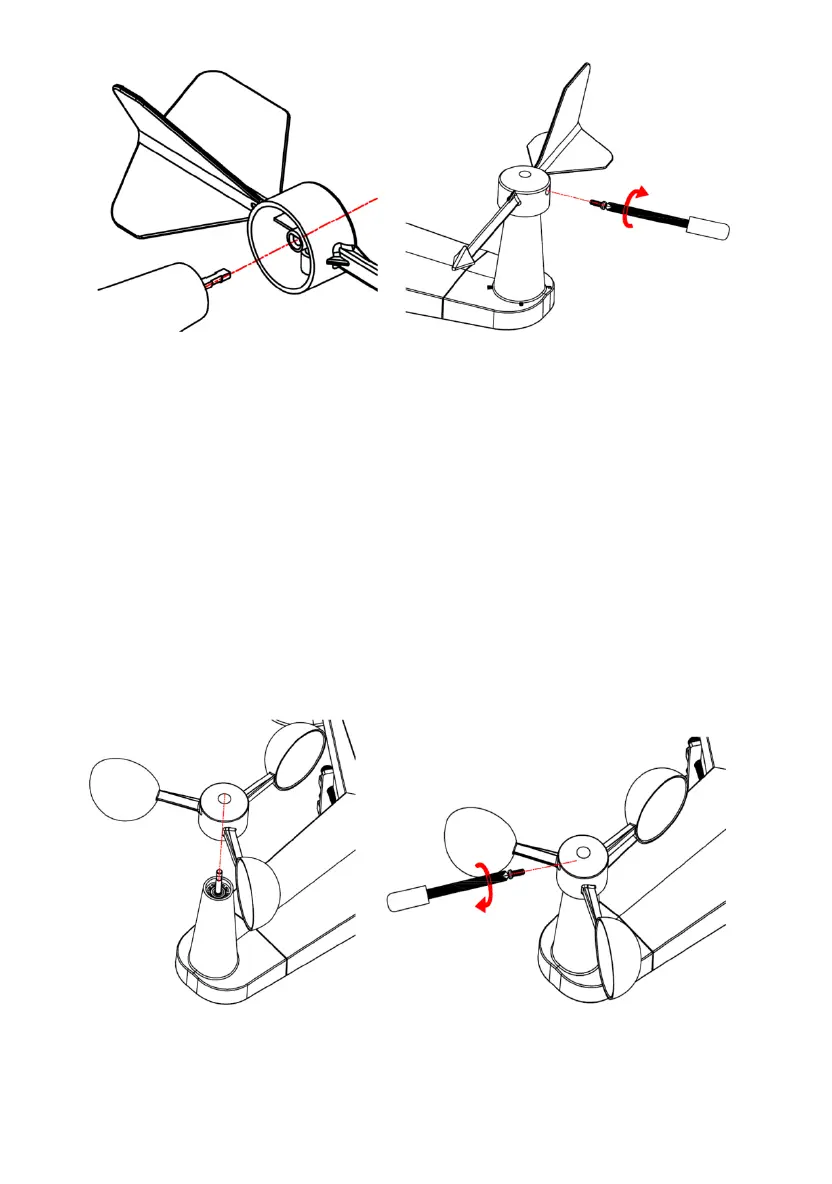
Figure 3 Figure 4
There are four alphabet letter of “N”,”E”,”S”and “W” around the wind
direction, representing for the direction of North, East, South and West.
Wind direction sensor has to be adjusted so that the directions on the
sensor are matching with your real location. Permanent wind direction
error will be introduced when the wind direction sensor is not positioned
correctly during installation.
.2.3. Install wind speed
Figure 5 Figure 6
5.2.4. Install Batteries
5
Push the wind speed into the shaft. as shown in figure 5.
Tighten the set screw with as shown in figure 5. Make sure the wind
speed spin freely.
8



 To Next Page