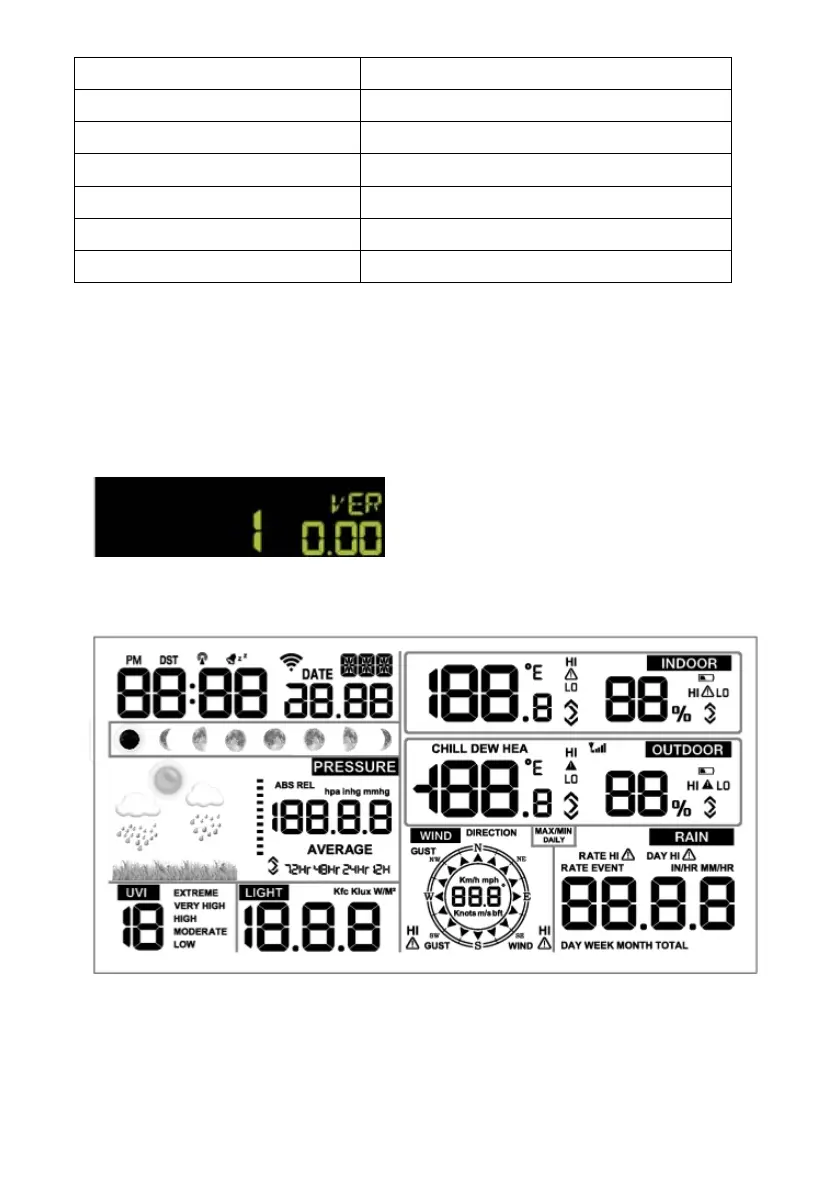
3. Barometric Pressure 12. Outdoor humidity
4. Weather forecast 13. RF icon
5. UV index 14. Indoor humidity
6. Light 15. Indoor temperature
7. Wind speed 16. Date
8. Wind direction 17. WIFI icon
9. MAX/MIN Daily 18. DST
6.2. Initial Display Console Set Up
Connect the power adapter to power up the display console.
The unit will show software version number 2 seconds after power
reset.
e LCD for 3 seconds after power
reset, the unit will start to register the outdoor channel for 3 minutes.
function
eight keys for
The unit will turn on all segments of th
6.3 Key
The console has easy operation
15



 To Next Page