7
FD-4 Ownerís Manual Supplement
CLK
SYNC OUT DRIVE
SCSI
AUTO A.PUNCH
REMAIN
SETUP
MB
44.1kHz
CLK
SYNC OUT DRIVE
SCSI
AUTO A.PUNCH
44.1kHz
COMPLETED !
CLK
SYNC OUT DRIVE
SCSI
AUTO A.PUNCH
ABS
44.1kHz
CLK
SYNC OUT DRIVE
SCSI
AUTO A.PUNCH
SETUP
?
SURE
44.1kHz
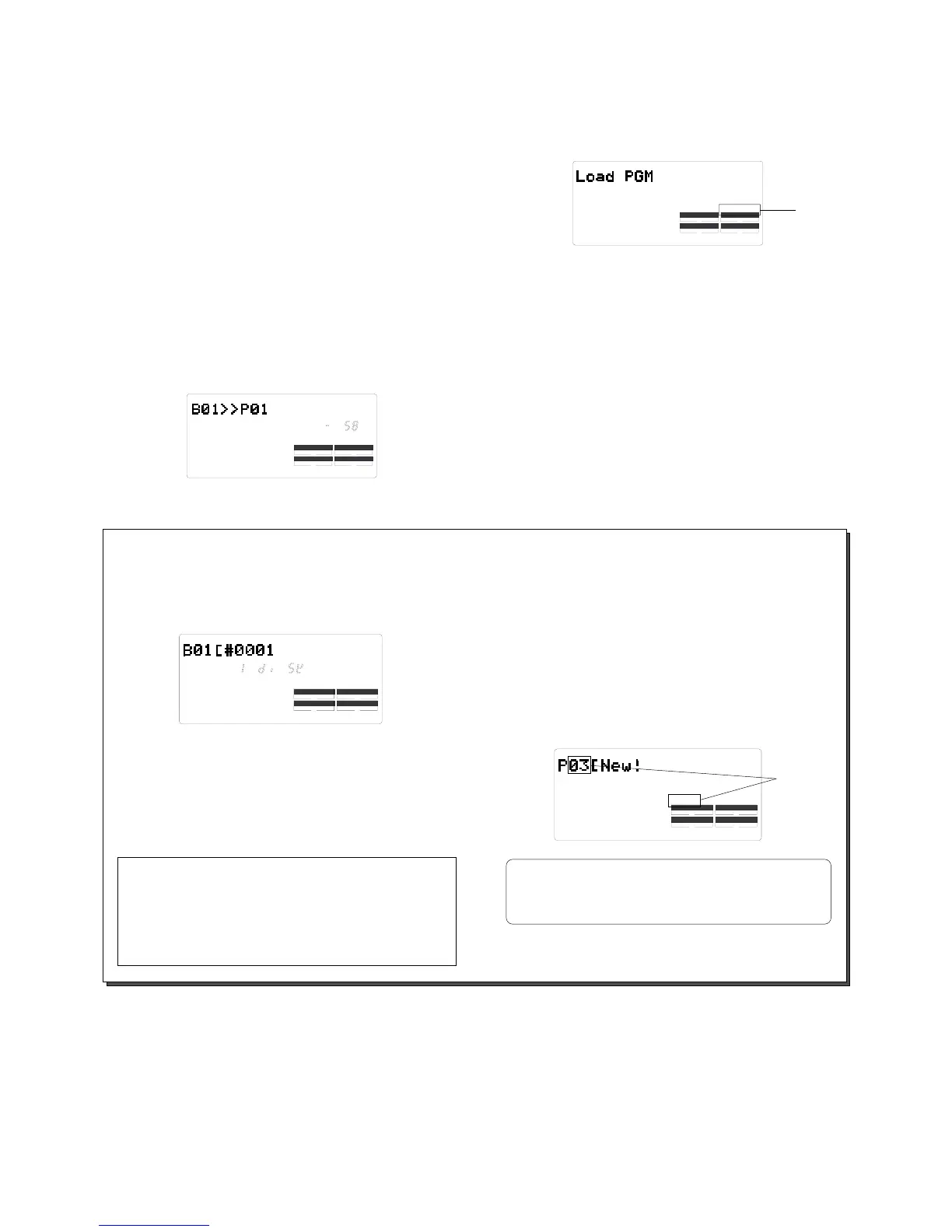
Lights up
In this condition, using the JOG dial allows you to select
the load destination Program.
Since there is only one Program in the destination disk in
this example, you can select only [P01].
If the destination disk contains multiple Programs, see the
following <Memo>.
Use the JOG dial to select the load destination
Program and press the EXECUTE/YES key.
The FD-4 starts loading data.
Backup data [B01] is loaded to Program [P01] on the cur-
rent disk. As the operations progresses, the REMAIN value
counts down.
6.
When the load operation is completed, [COMPLETED!]
lights up.
Press the EXIT/NO key to exit SETUP mode.
The Time Base display of the loaded Program appears.
Press the EJECT button on the backup drive to
eject the backup disk.
7.
8.
<Memo>
If you saved one Program to multiple backup disks, the
FD-4 indicates that the disk in the drive is the ìfirstî disk,
as follows:
Confirm that this message appears, and execute the load
operation. When data in the first disk is loaded, the FD-4
automatically ejects the disk and displays [Inst. Disk 2],
meaning ìPlease insert the second disk.î Insert the sec-
ond disk and continue the load operation.
<Memo>
If the load destination disk contains multiple Programs,
the FD-4 asks whether you wish to set up a new Program
in the Step 5 of the procedure above. ([03] and [SURE?]
flash.)
This is because the existing Programs may already con-
tain data. If you do not mind overwriting the existing data
with the loaded data, select the desired Program number
as the load destination.
Flashing
In the above display example, the FD-4 asks you if
you wish to create a new Program 3, since Programs
1 and 2 on the current disk drive contain data.
Make sure that you insert the disks in the correct
order. If you insert the wrong disk, the FD-4 dis-
plays [Wrong disk] and ejects the disk. Follow the
disk markings you made during the save opera-
tion.
Note:



 To Next Page