I
NST A L LI NG
THE
S
WI TCH
4-4 © 2003 Foundry Networks, Inc. February 2003
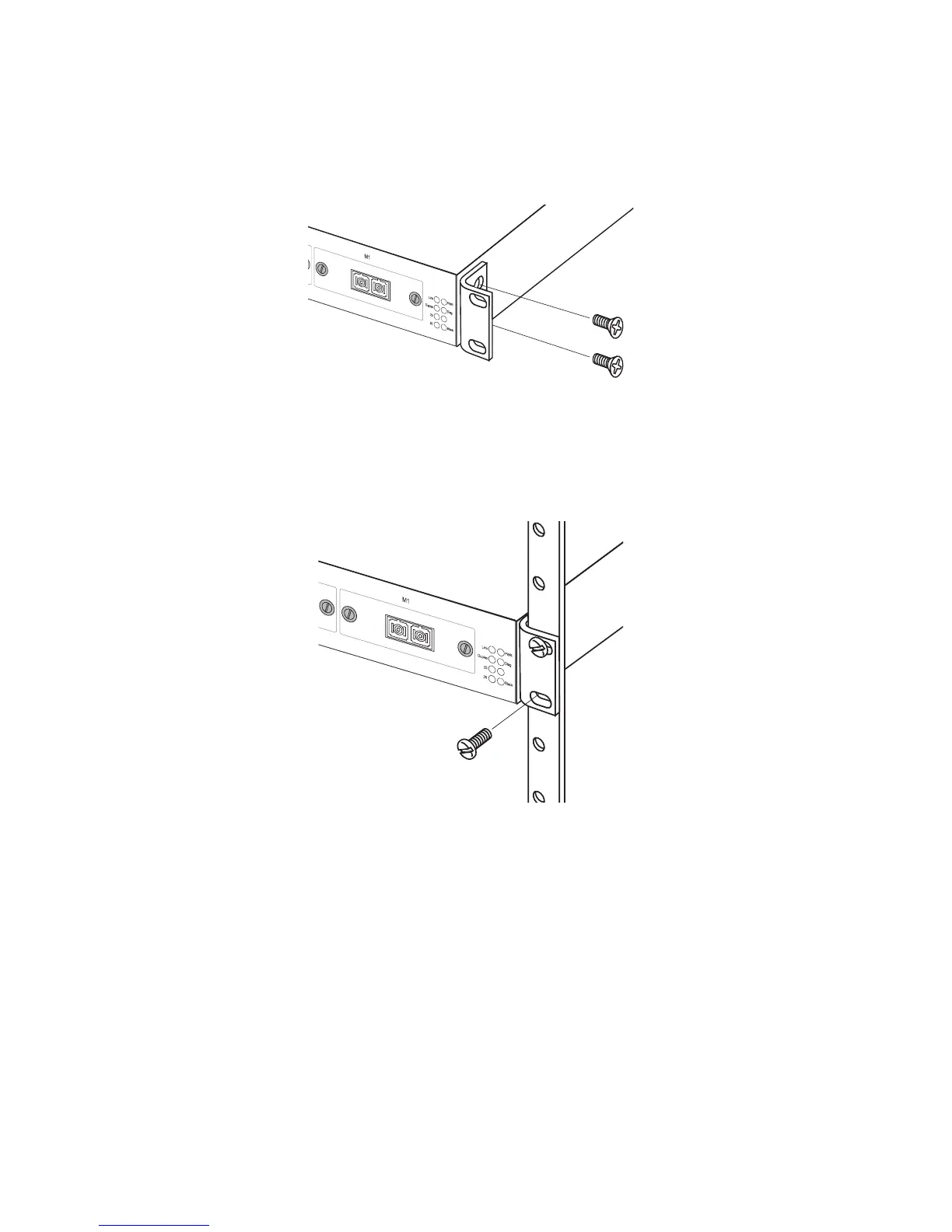
Figure 4-1. Attaching the Brackets
2. Mount the device in the rack, using four rack-mounting
screws (not provided).
Figure 4-2. Installing the Switch in a Rack
3. If installing a single switch only, turn to “Connecting to a
Power Source” at the end of this chapter.
4. If installing multiple switches, mount them in the rack, one
below the other, in any order.
Desktop or Shelf Mounting
1. Attach the four adhesive feet to the bottom of the first switch.
100BA
S
E-FX
Single
m
o
de M
odu
le
M
S-3726
-S
FC
TX
RX
10
0
B
A
S
E
-F
X
S
in
g
lem
o
d
e
M
o
d
ule
M
S
-372
6
-S
F
C
TX
RX



 To Next Page