CD INSTRUCTION
41
4-1 Install driver and utility
1. Install Driver
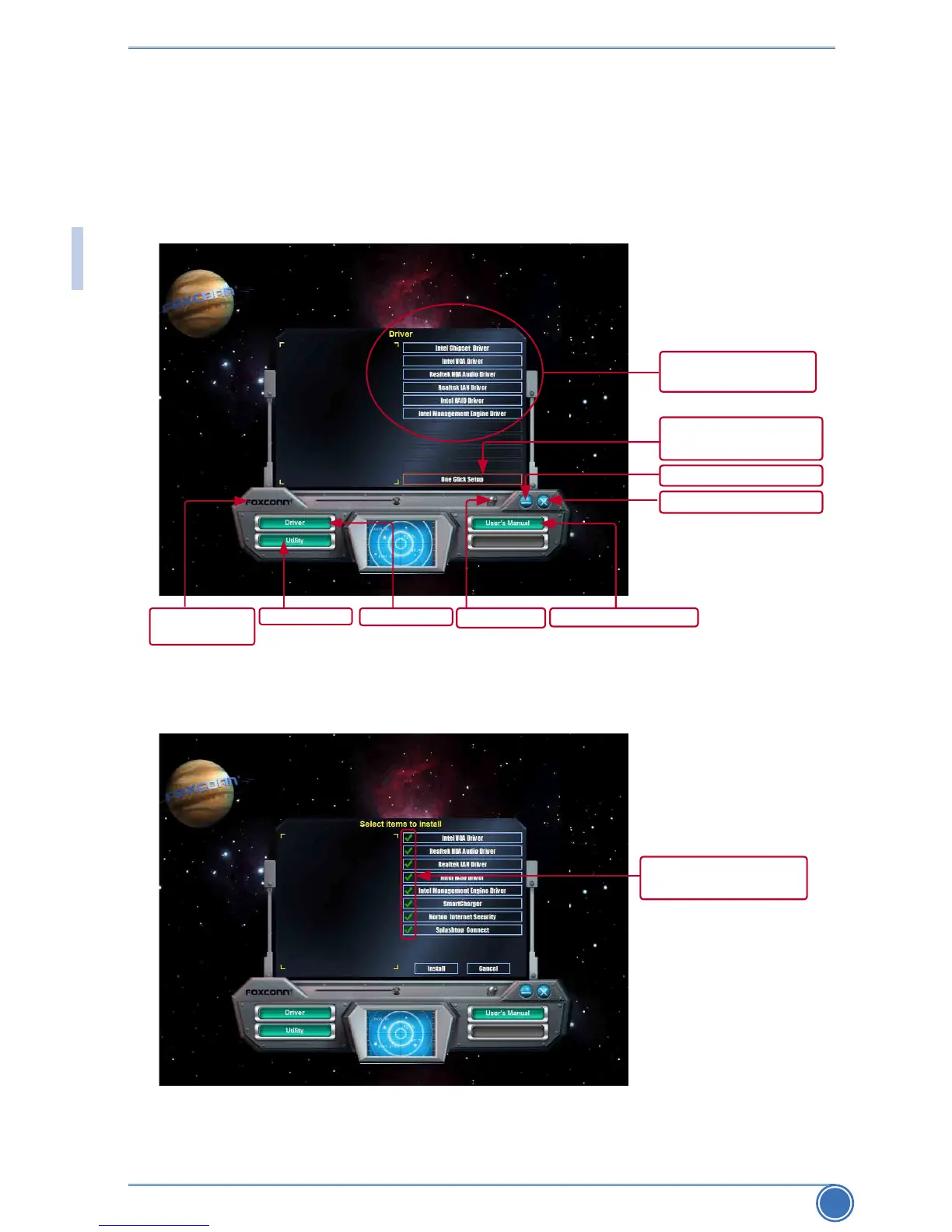
Use these options to install all the drivers for your system. You must click "Intel Chipset Driver"
toinstallitrst.Afterthat,youcanclick“OneClickSetup”andthenchoosetheitemsyouwant
to install, or you can click on each individual driver to install it manually.
Choose the items you
want to Install
Show Utilities Show Drivers
Visit Foxconn's
website
Browse CD View User’s Manual
Automatic Installation
by One Click
Drop to System Tray
Exit the program
Manual Installation
Step by Step



 To Next Page
 Loading...







