RAID CONFIGURATION
72
Intel(R)MatrixStorageManageroptionROMv5.0.0.1011ICH9RwRAID5
Copyright(C)2003-04IntelCorporationAllRightsReserved.
The following are typical values:
RAID0-128KB
RAID10-64KB
RAID5-64KB
Intel(R)RapidStorageTechnology-UptionROM-11.0.8.1204
Copyright(C)2003-11IntelCorporation.AllRightsReserved.
Name:
RAID Level:
Disks:
Strip Size:
Capacity:
Sync:
TryRAID0
RAID0(Stripe)
Select Disks
128KB
298.1GB
N/A
Create Volume
[↑↓]-Change[TAB]-Next[ESC]-PreviousMenu[ENTER]-Select
[ HELP ]
128KB
[ CREATE VOLUME MENU ]
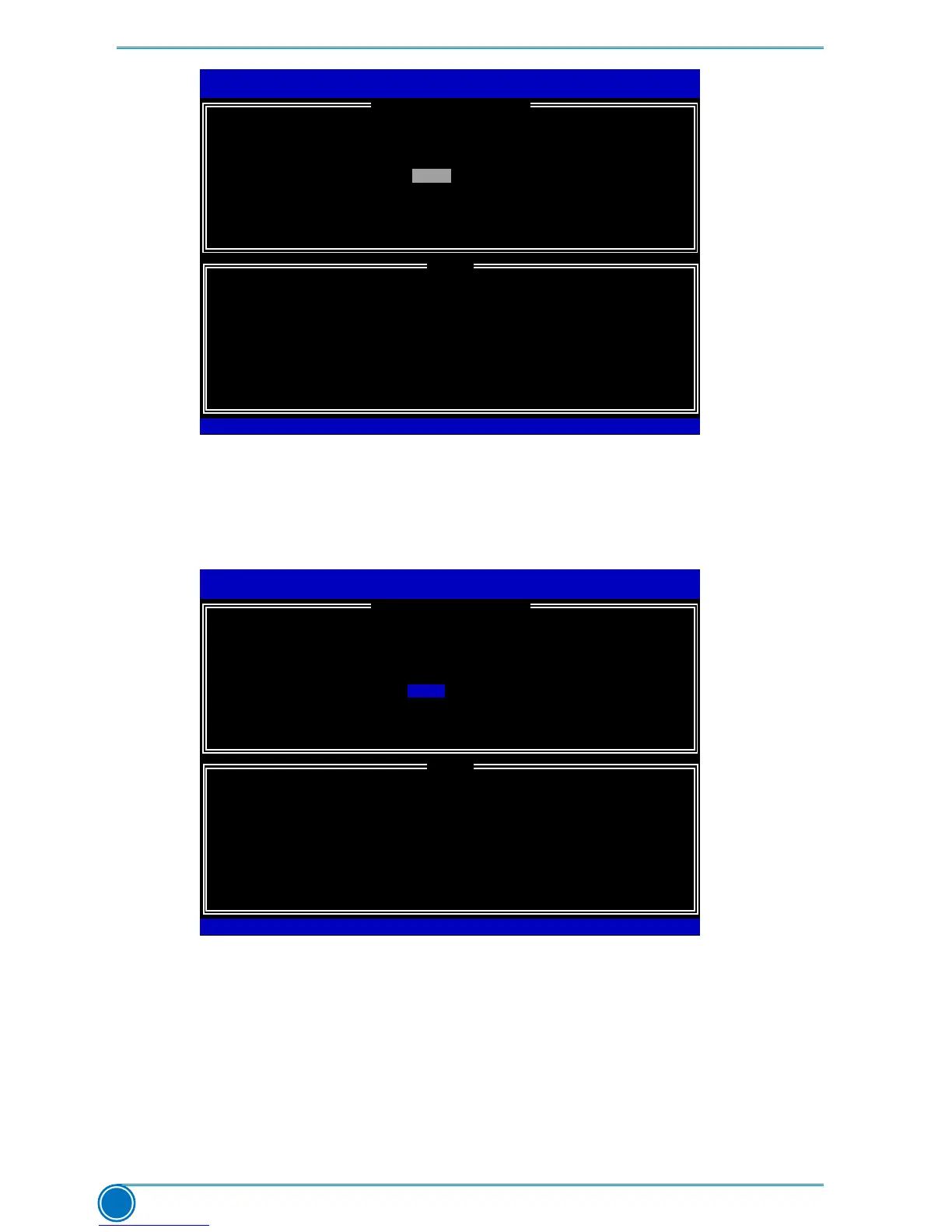
7. In “Capacity” item, the default value indicates the maximum capacity using the selected
disks. As we want to introduce how to create two disk volumes (like logical devices C: and
D:) inaRAID0system,soweonlykeyin150GBheretobuildtherstvolume.Later,wewill
alsodescribehowthesecondvolumeisgenerated.Input150GB,andpress<Enter>.
Intel(R)MatrixStorageManageroptionROMv5.0.0.1011ICH9RwRAID5
Copyright(C)2003-04IntelCorporationAllRightsReserved.
The default value indicates the maximum capacity using the selected
disks. Entering a lower capacity allows you to create a second
volume on these disks
Intel(R)RapidStorageTechnology-UptionROM-11.0.8.1204
Copyright(C)2003-11IntelCorporation.AllRightsReserved.
Name:
RAID Level:
Disks:
Strip Size:
Capacity:
TryRAID0
RAID0(Stripe)
Select Disks
128KB
465.8GB
Create Volume
[↑↓]-Change[TAB]-Next[ESC]-PreviousMenu[ENTER]-Select
[ HELP ]
150
[ CREATE VOLUME MENU ]
8. In “Create Volume” item, press <Enter>.











 To Next Page