12 | P a g e
6.0 TX-505 REMOTE CONTROL OPERATION
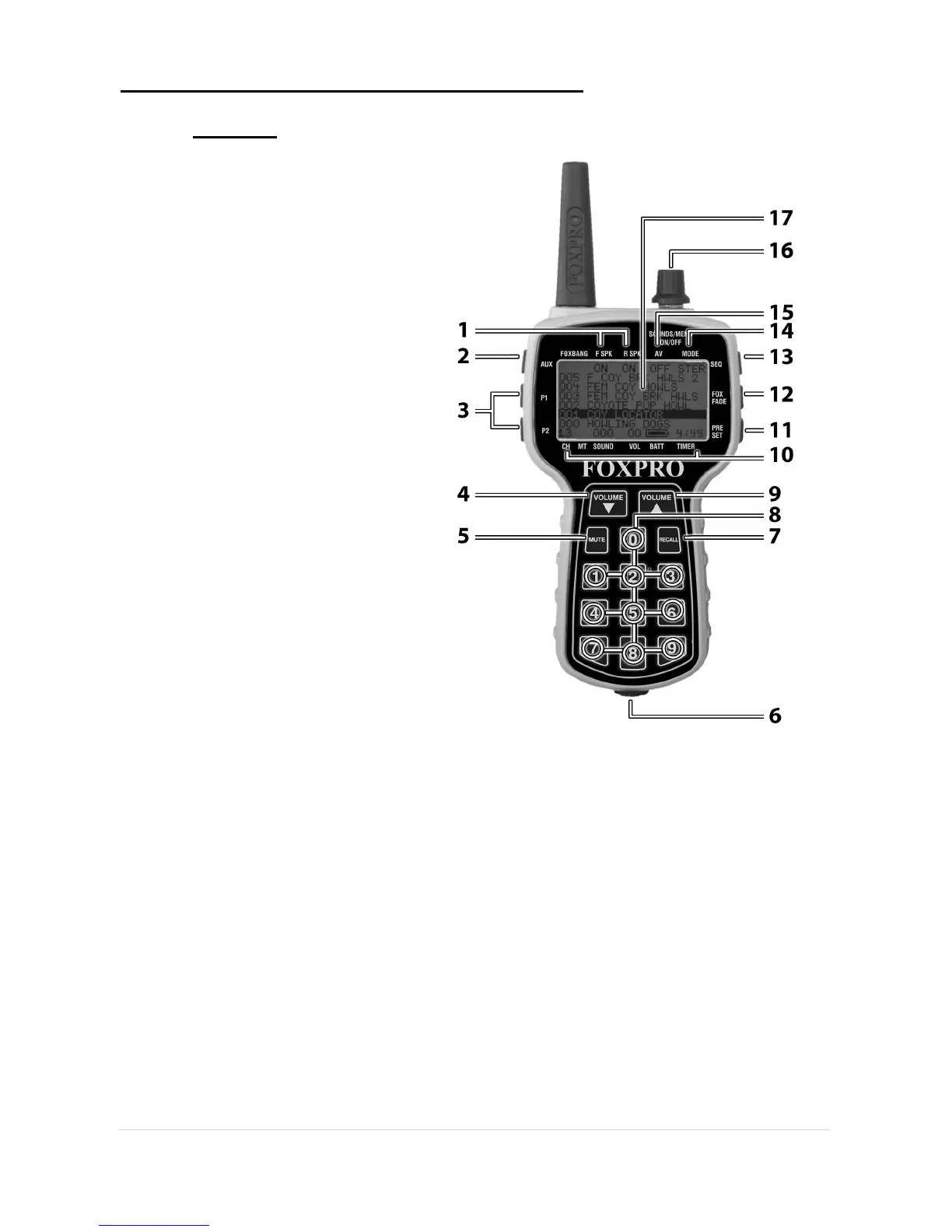
Features
1) Rear/Front Speaker On/Off
Indicator
2) Auxiliary Button
3) Quick Access for 2 Presets
4) Volume Down Button
5) Mute Button
6) Lanyard Loop
7) Recall Button
8) Numeric Keypad
9) Volume Up Button
10) Bottom Information Line
Indicating channel of operation,
mute status, sound number,
volume level, battery level, and
elapsed timer
11) Preset Mode Select Button
12) FOXFADE On/Off
13) Sequence Mode Select
Button
14) Mono/Stereo Indicator
15) Auto-Volume On/Off Indicator
16) Rotary Selector Knob
17) Graphic LCD Panel
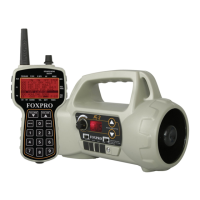
The FURY 2 features the TX-505 transmitter. The features of this transmitter
include a large graphic display (eliminating the need for printed sound lists), 10
custom preset buttons that make your favorite sound and volume levels
available at the touch of a button, a volume and mute indicator, a recall button,
an elapsed timer, and a rotary sound selector knob for ease of changing
sounds.
The TX-505 transmitter operates on three standard AA batteries. Please use
high quality alkaline or lithium batteries.


 To Next Page