18
T2000 TPMS Service Tool Manual_English_V1.01
Figure 5-11 Sample Read Codes Screen
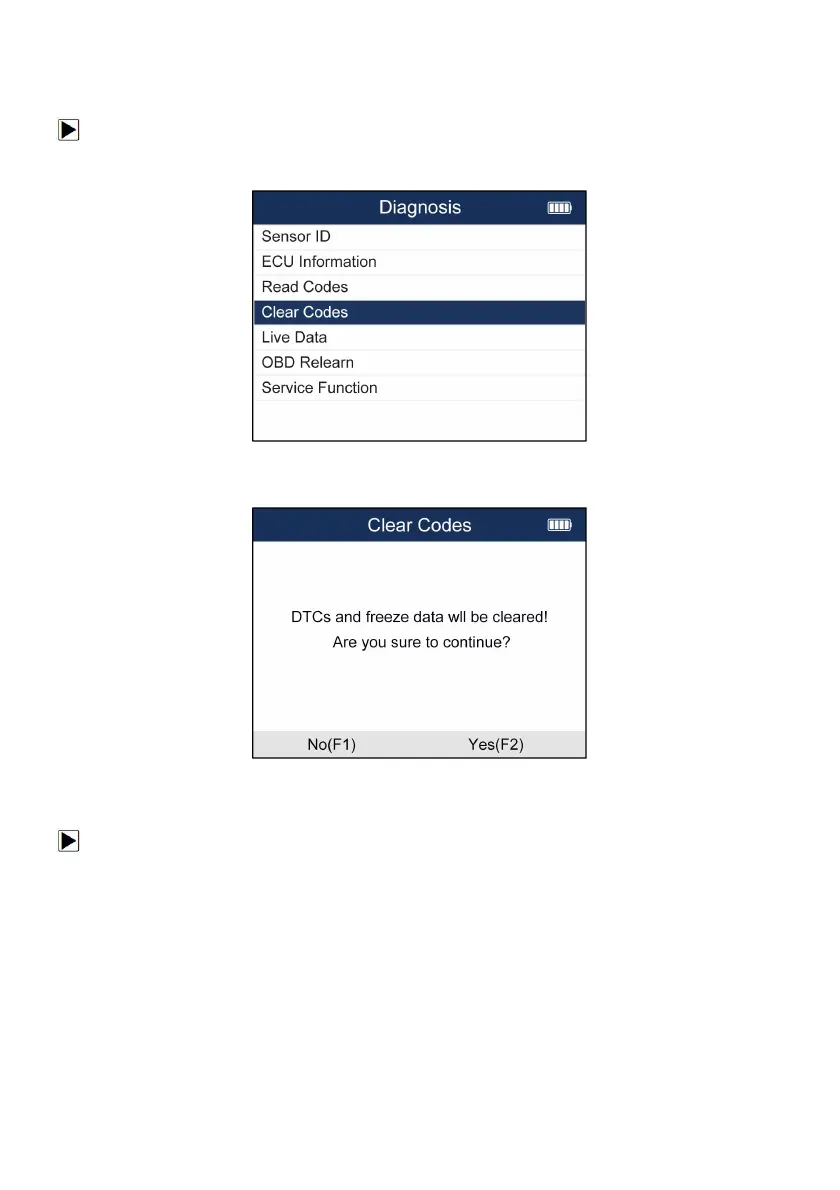
5.2.4 Erase Codes
To Erase Codes
1. Select TPMS--Diagnose from the available Menu.
2. Choose Erase Codes after the tool communicate with the car successfully.
Figure 5-12 Sample Clear Codes Menu
3.There will be a notice displayed. Press F3 button to continue the operation or F1 or N button to
exit.
Figure 5-13 Sample Clear Codes Screen
5.2.5 Live Data
To check Live Data
1. Select TPMS--Diagnose from the available menu.
2. Choose Live Data after the tool communicate with the car successfully.


 To Next Page