22
T2000 TPMS Service Tool Manual_English_V1.01
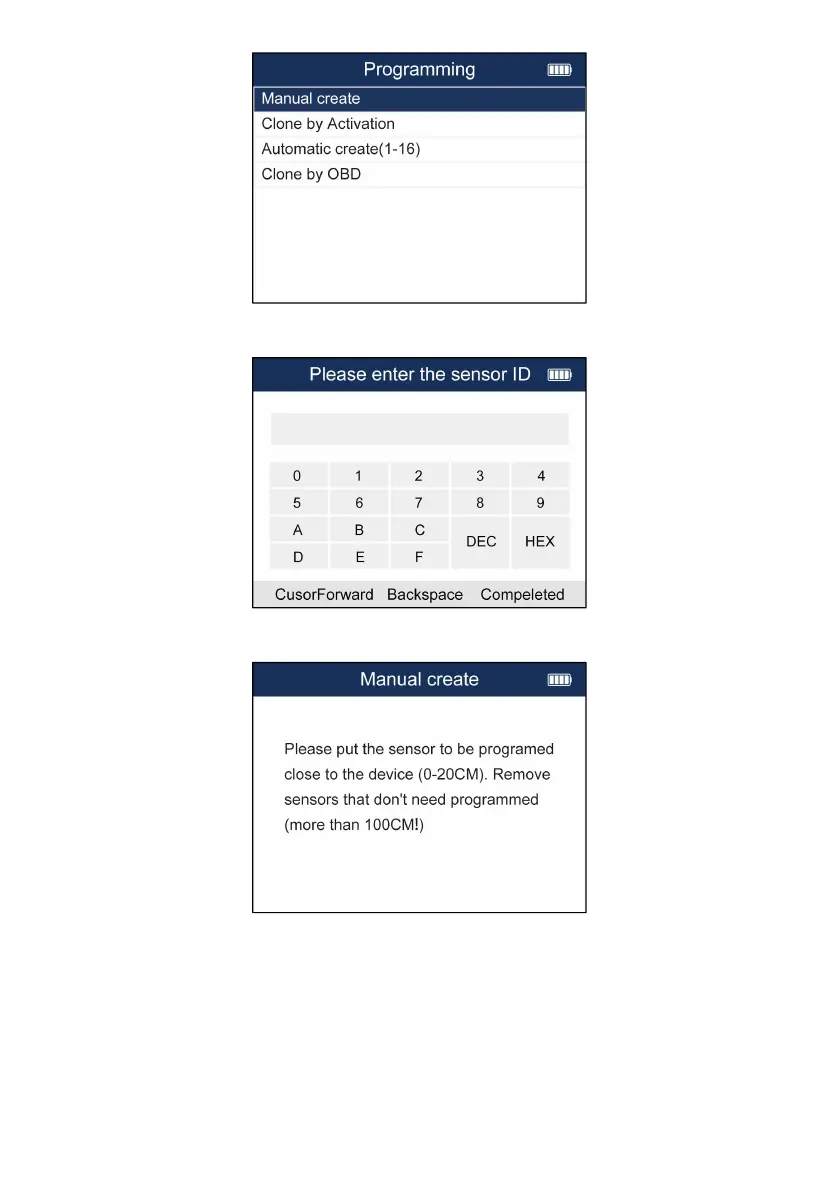
Figure 5-22 Sample Programming Menu
3. Input the sensor ID in the dialog box and press Y to continue.
Figure 5-23 Sample Manual Create Screen
4. Place a new Foxwell sensor near the TPMS tool (around 0-20 cm).
Figure 5-24 Sample Manual Create Screen
5. Press F3 to start the programming when the tool detect the sensor.
6. Press F1 to exit after the programming successfully.


 To Next Page