26
T2000 TPMS Service Tool Manual_English_V1.01
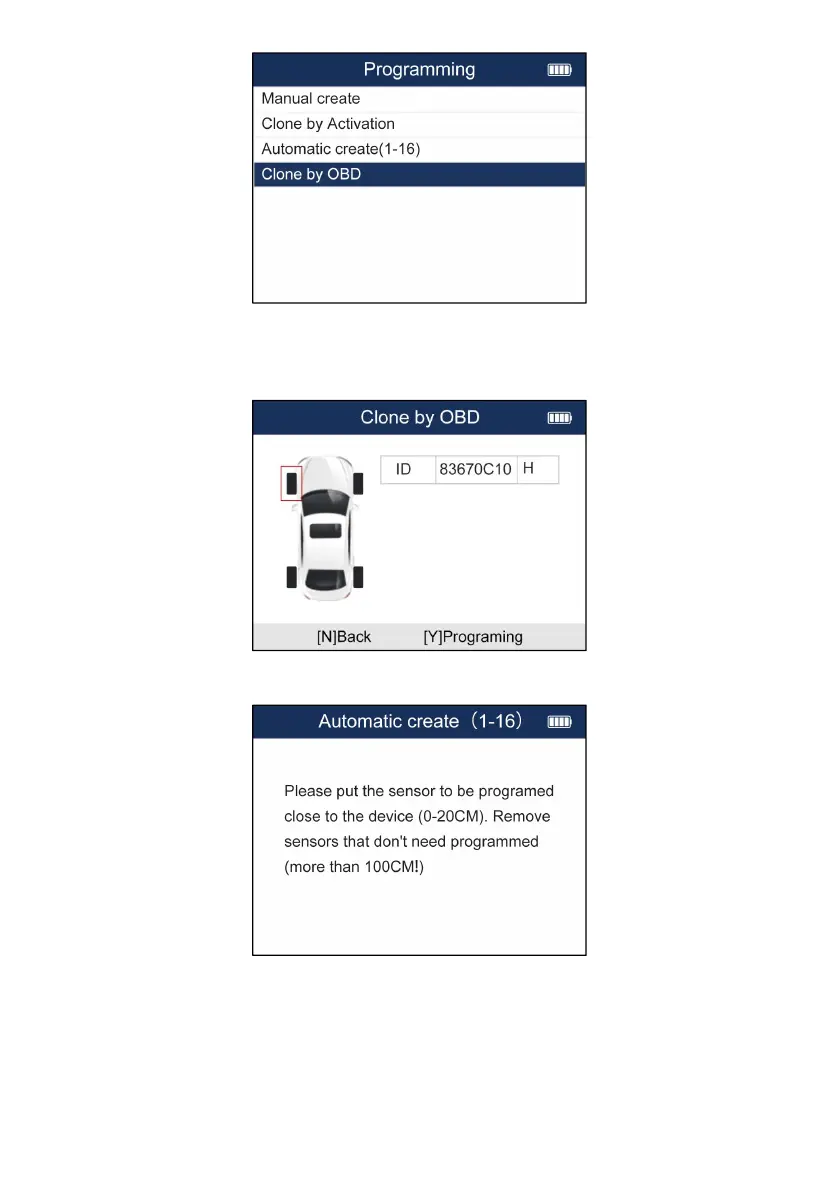
Figure 5-32 Sample Clone by OBD Menu
3. Connect the TPMS tool with the vehicle via OBDII cable and turn the ignition on.
4. Select the sensor ID to be copied after reading ID information successfully and press Y to
continue.
Figure 5-33 Sample ID Copy Screen
5. Place a new Foxwell sensor near the TPMS tool (around 0-20 cm).
Figure 5-33 Sample Programming Screen
6. Press F3 to start the programming when the tool detect the sensor.
7. Press F1 to exit after the programming successfully.


 To Next Page