0201
03
4 4 4 4
04
Confi guring
Page 41
Café Crème Cappuccino
Tea
Milk coff ee
Iced Latte
macchiato
Espresso
Confi guration
Information
Products IndividualizationAdministration
Care
Café Crème Cappuccino
Tea
Milk coff ee
Iced Latte
macchiato
Espresso
You can review and change the PIN codes with the
owner role in the menu Confi g/Administration/Rights
management, see p. 45.
Certain rights have been as-
signed to each PIN. The respec-
tive menu is displayed after the
authentication.
Authenticate with PIN.
The menu appears.
Click on the "roller shutter" to
call up the dashboard.
The dashboard appears.
Click on the Franke logo to
switch to programming mode.
The numerical pad appears for
entering the PIN.
Introduction to programming
CONFIGURING
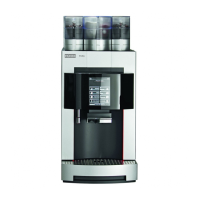
Your A200 is individually programmable – so that the A200 is just as fl exible as you are. We have kept the
programming simple to make your job easier. Try it for yourself.
All programming menu items
are shown on the following
pages. Some of these menu
items may not feature on your
coff ee machine, depending on
the confi guration.



 To Next Page