F3Dn Service Manual Motor Test / Section 2.5
For Technical Support, Call 800-537-2653. Copyright 2006 Franke, Inc. All rights reserved.
2.5 Motor Test Procedure Continued:
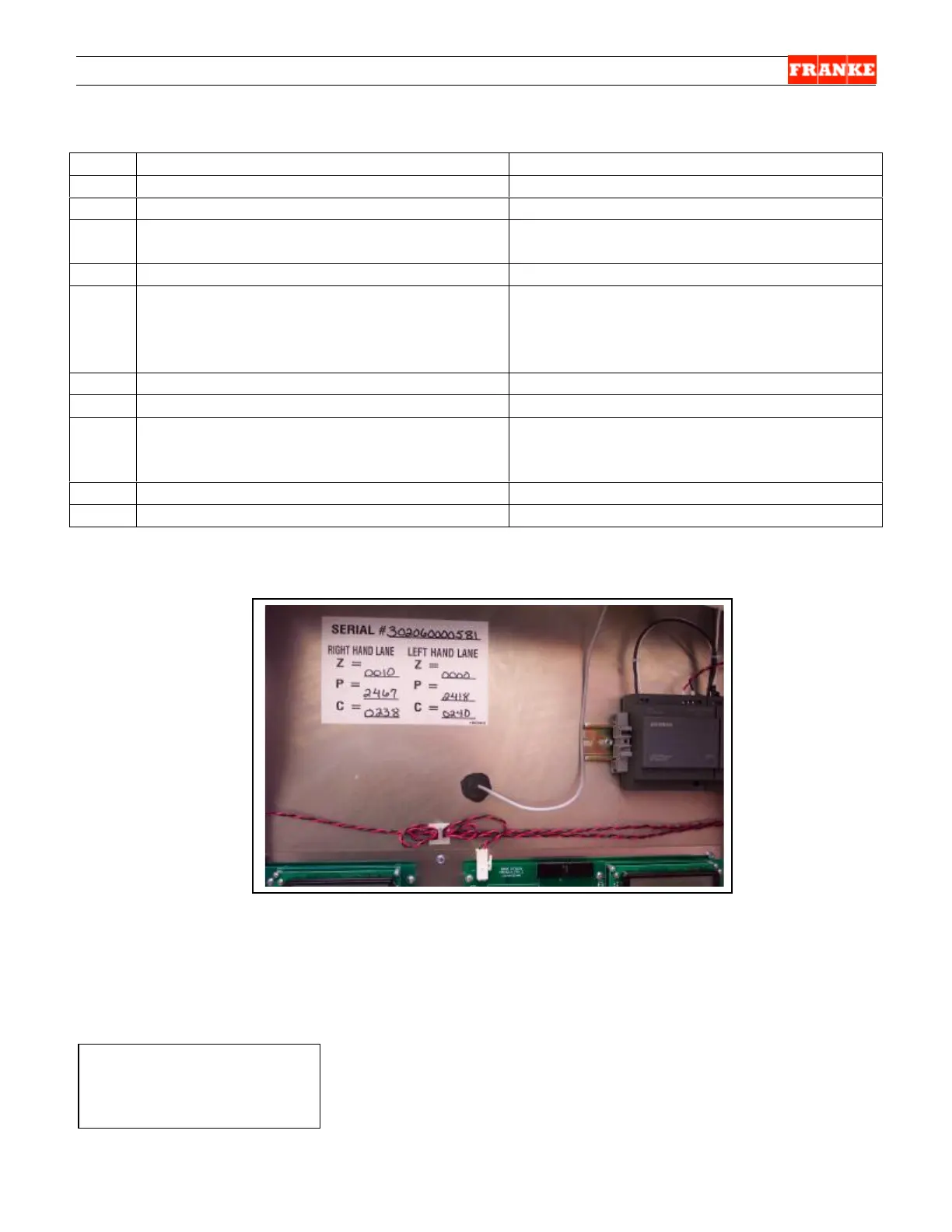
Specific base-level Diagnostic Values are logged at Plant and
posted on back of unit above Main Control Boards.
Ø To Replace Drum Rotor Motor…See Section 2.6
Ø To Replace Door Lift Motor…See Section 2.7
Ø To Replace Door [Open] Motor…See Section 2.8
Rev. 2 10/06
Step Action Required Resulting Diagnostic Display
16 Press SW3 button. [Go to next test.]
Door Motor? // 1 = OK 3 = Nxt [Next]
17 Press SW1 button. [=OK]
Door Trq = 0000 // 1 = Go 3 = Ex [Exit]
18 Press SW1 button. [Activates one full
door-open & dispense cycle.]
Door Trq = 00XX [Typically a low value] //
1 = Go 3 = Ex XXX [Cycle count]
19 Press SW3 button [=Next].
Error Log ? 1 = OK 2 = Nxt 3 = Ext
20 Press SW1 button. [=OK]
FTO=000 [Fill Time Out – the number of
occurrences] DTQ=000 [Drum torque
faults – number of occurrences] //
3 = Rtn [Return]
21 Press SW3 button [=Clear]
Resets FTO and DTQ counters to “000”
22 Press SW3 button [=Rtn]
Show Cal ? // 1 = OK 2 = Nxt 3 = Ext
23 Press SW1 button [=OK]
Z = 00000 C= 00024 P = 02145 // 1 = OK
3 = Ext [Values should be close to those
on sticker. See photo below.]
24 Press SW3 button [=OK]
Motor Tests ? 1 = OK 2 = Nxt 3 = Ext
25 Press SW3 button [=Exit]
Shut Lift /Stby [Standby]
Ø



 To Next Page