23
- APN
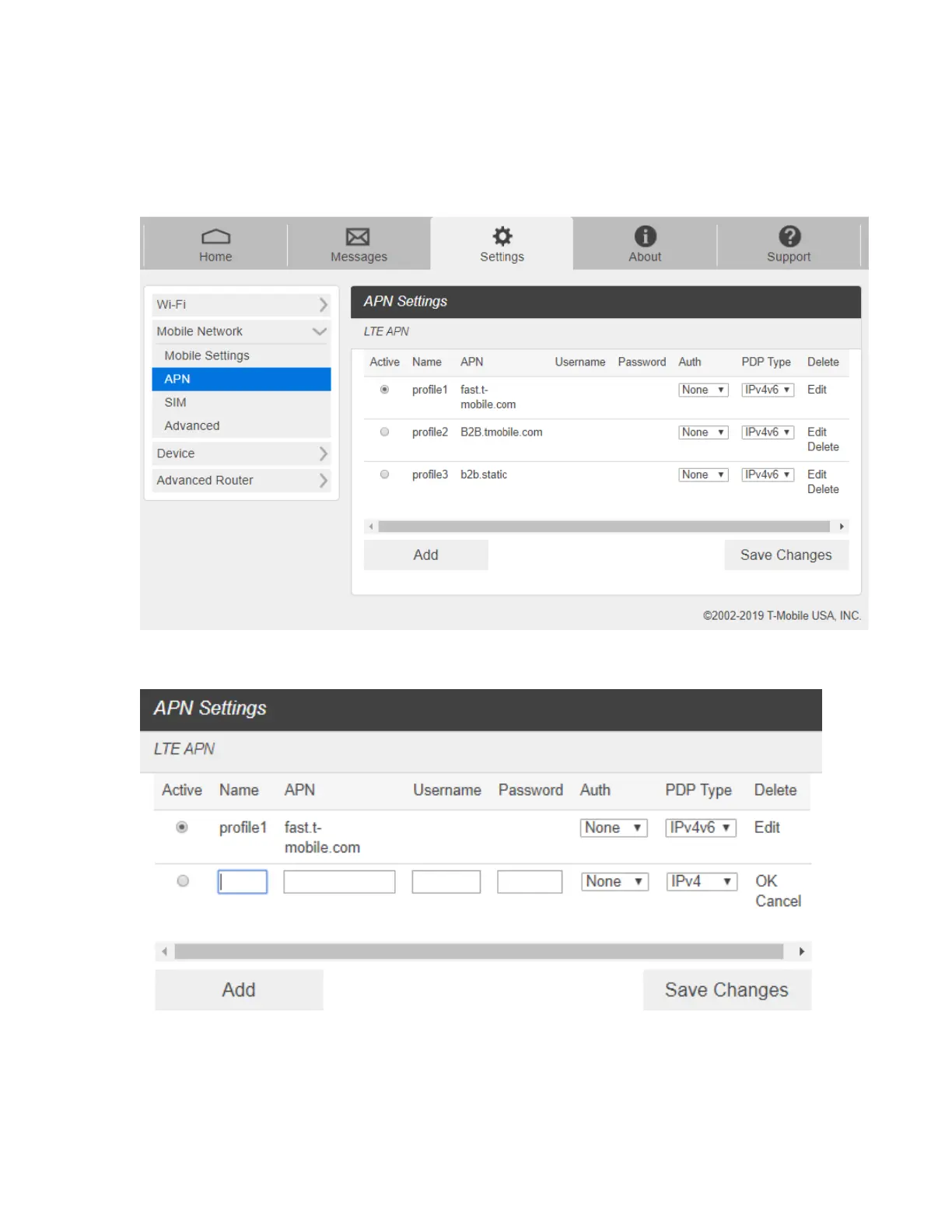
From the Web UI, click Settings > Mobile Network > APN. The default APN parameters
are shown in the following figure. You can use the default APN to connect to the Internet.
You can also add new APNs.
To add a new APN, follow the steps below:
1. Click Add to access the following page.



 To Next Page