22
Mobile Network
Manage your mobile network settings.
- Mobile Settings
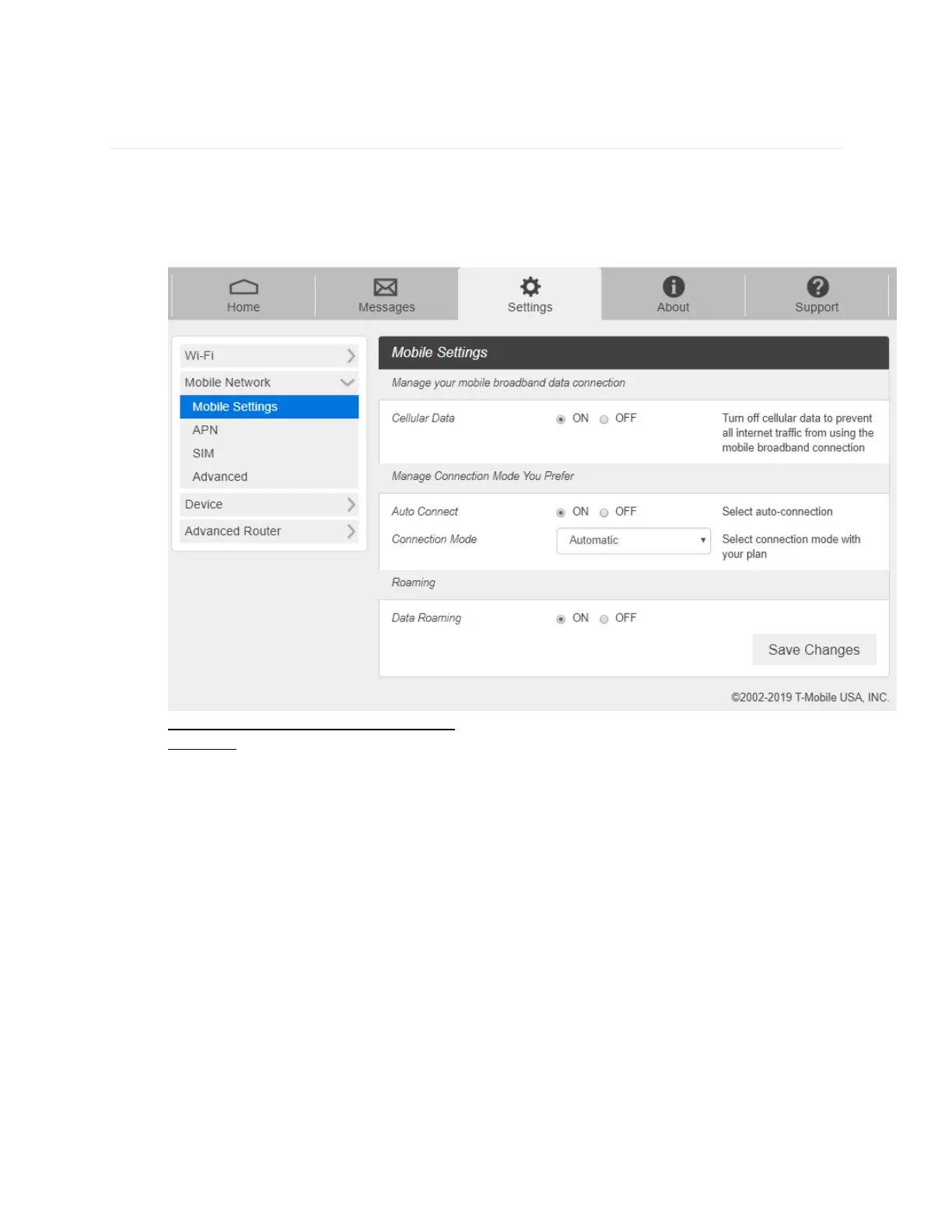
1. From the Web UI, click Settings > Mobile Network > Mobile Settings. The Mobile
Settings page is shown in the following figure.
- Manage Connection Mode You Prefer: Auto Connect on or off.
- Roaming: Turn Data Roaming on or off. Turn it ON to require confirmation
before connecting to the roaming network.
CAUTION! Allowing roaming could result in additional service charges.
2. Click Save Changes to save your settings.



 To Next Page