26
Device
- Preferences
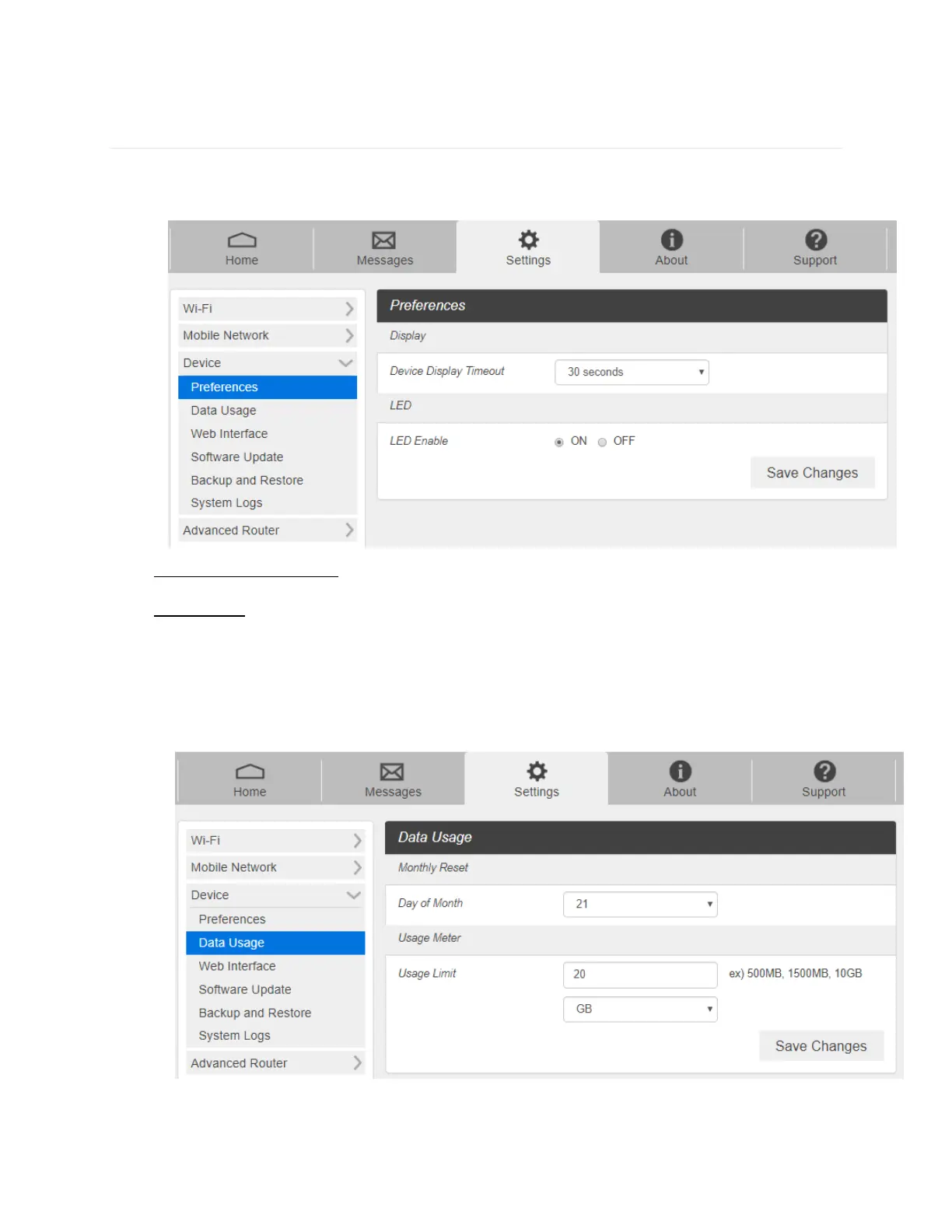
1. From the Web UI, click Settings > Device > Preferences.
- Device Display Timeout: Select a timeout time from the drop-down list. Your T9 display
turns off after this timeout period if there is no menu button action.
- LED Enable: If ON is selected, the LED indicator next to Your T9 display will blink when
the device is on. This LED is a power indicator that shows the device is on when the
device display is off.
2. Click Save Changes to save your settings.
- Data Usage
1. From the Web UI, click Settings > Device > Data Usage.
2. Choose Day of Month, Usage Limit and Click Save Changes to save your settings.



 To Next Page