Password Authentication Protocol (PAP) provides a simple
method without encryption for the peer to establish its identity
using a 2-way handshake. Challenge-Handshake Authentication
Protocol (CHAP) is used to periodically verify the identity of the
peer using a 3-way handshake.
4. Click Save Changes to add the new APN.
Additional APN Options
- To activate the new APN, check the circle in front of it and then click Save Changes.
- To edit the new APN, click Edit, change the settings, and then click Save.
To delete the new APN, click Delete.
NOTE: The default APN cannot be edited or deleted.
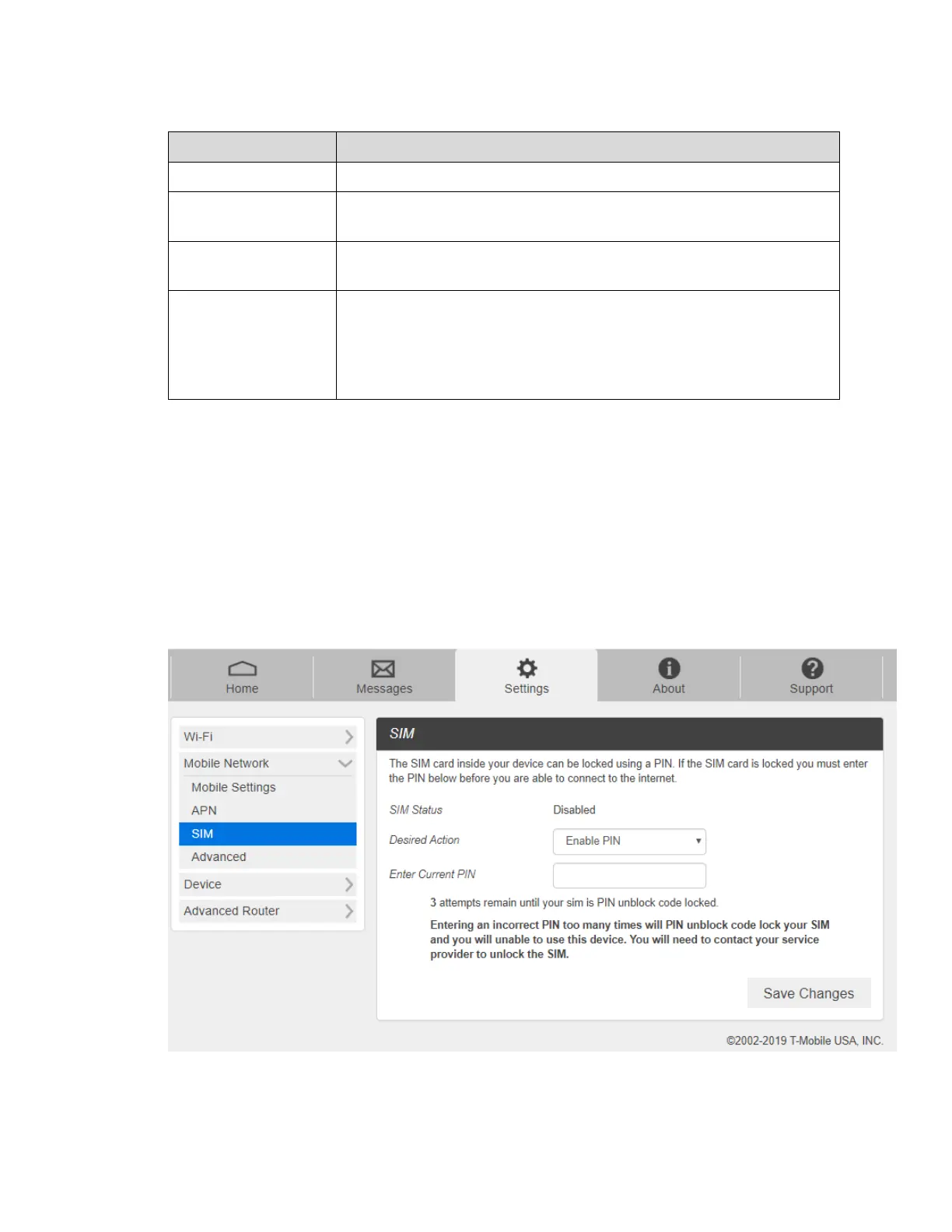
- SIM
1. From the Web UI, click Settings > Mobile Network > SIM. The SIM PIN lock is disabled
by default. You can enable it by entering SIM PIN.
2. Enter the SIM PIN and press Save Changes to save your settings. The SIM Status will
be changed to Enabled. Once the SIM PIN Lock is enabled, you need to enter SIM PIN



 To Next Page