22
ENGLISH
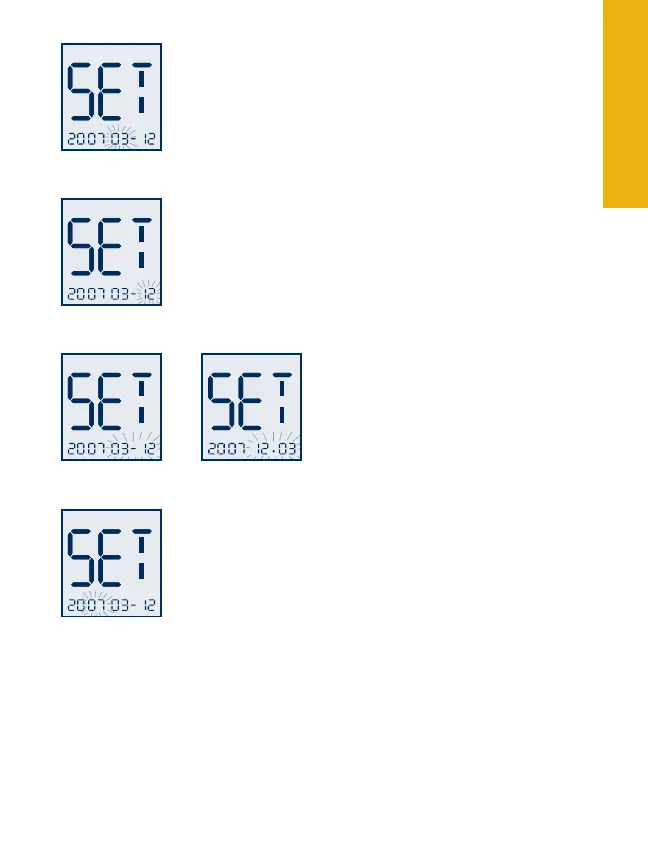
Setting the Date and Date Format
With the month blinking, press the “1. c” button
until the correct month appears.
Press the “2. m” button to move to the day setting.
With the day blinking, press the “c” button until
the correct day appears.
Press the “3. m” button to move
to “Date Format.” With the date
blinking, press the “c” button to
select month-day or day-month
format. The date automatically
updates to the format selected.
Press the “4. m” button to move to the year setting.
With the year blinking, press the “c” button until
the correct year appears.
You have completed Meter Set-Up.
To move to “Setting the User Reminder Alarms” •
press the “m” button.
To exit press and hold the “• m” button for two
seconds.
Day
Ye a r
Month
Year-Month-Day
Year-Day-Month



 To Next Page