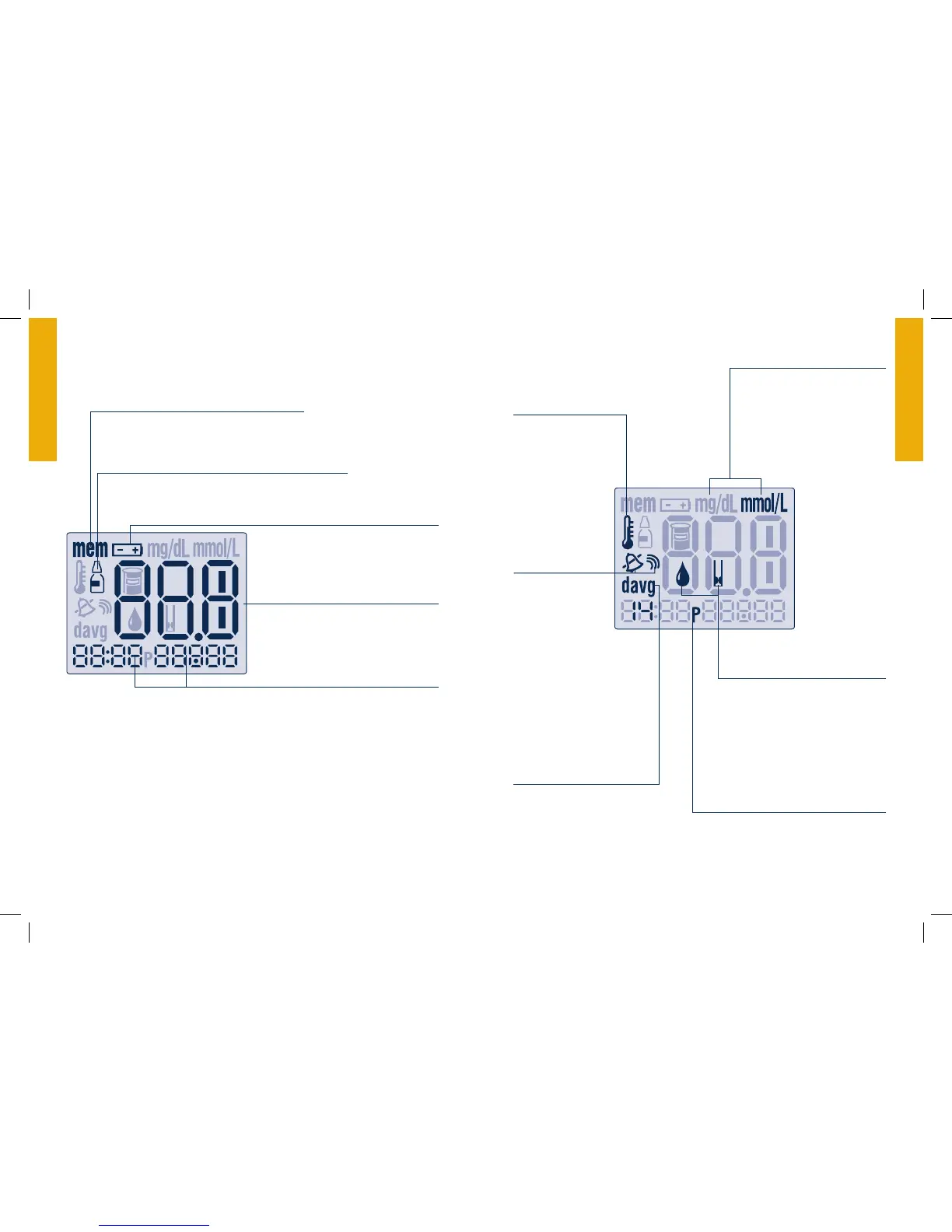
The FreeStyle Lite Meter Display
Control Solution Test Result Symbol
Shows that you have marked a test result as a
control solution test.
Test Result Area
Displays test results.
Message Area
Displays date, time and number of tests.
Battery Symbol
Appears when you should replace
your meter battery.
Blood Drop and
Test Strip Symbols
These symbols work together in
an animation to tell you when
the meter is ready for you to
apply blood or control solution.
Thermometer Symbol
Appears if your meter
is out of the operating
temperature range.
Sound Level
Symbols
Indicates high,
low or off sound
volume.
mg/dL or mmol/L
Either mg/dL or mmol/L will
display, indicating the unit of
measurement setting of
your meter.
The unit of measurement setting
of your FreeStyle Lite meter is
preset and cannot be changed.
Day Average Symbol
Shows the average
value of glucose read-
ings from the last 7, 14
or 30 days.
P Symbol
Indicates PM in 12-hour format
only (for example 4:00 p.m.)
Memory Mode Symbol
Shows you test results stored in the
meter memory.



 To Next Page