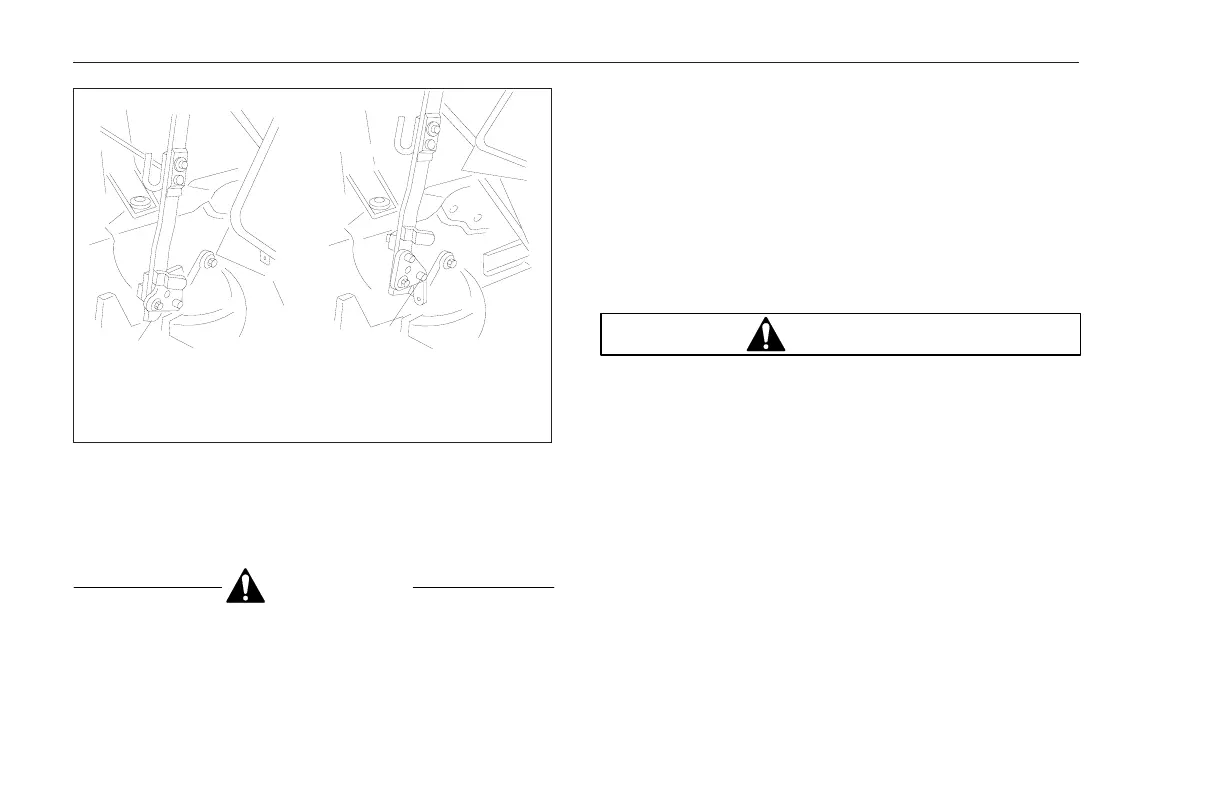
2. Remove the bolt previously placed near the central
pin. Return the bolt to its original position in the
lower opening of the triangular support.
CAUTION
Be sure the shift lever is in neutral and the shift
knob will clear the floor opening when the cab is
being lowered to avoid damage to the shift lever.
3. Lift the rear part of the cab slightly, then pull down-
ward to lower the cab completely. Remove the cab
lock handle and secure it in its original position.
4. To check for proper locking of the cab, turn the igni-
tion to the ON position. An indicator light on the in-
strument panel will light if the cab is not locked se-
curely.
Front Access Panel
WARNING
The parking brake must be fully set before opening
the front access panel. Failure to do so could result
in serious personal injury.
If your vehicle has an automatic transmission,
place the gear shift lever in N (neutral), shut the
engine off, and set the parking brake. If your ve-
hicle has a manual transmission, place the gear
shift lever in R (reverse), shut the engine off, and
set the parking brake.
To open the front access panel, use a coin to turn the
locks located at each end of the outside surface of the
panel one quarter turn counterclockwise.
After tilting the panel open, support the panel with the
rod.
09/08/97
f310619
1
2
1. First Position, 40 Degree Tilt
2. Second Position, 50 Degree Tilt
Fig. 2.16, Cab Tilt Arm
Vehicle Access and Features
2.15











 To Next Page