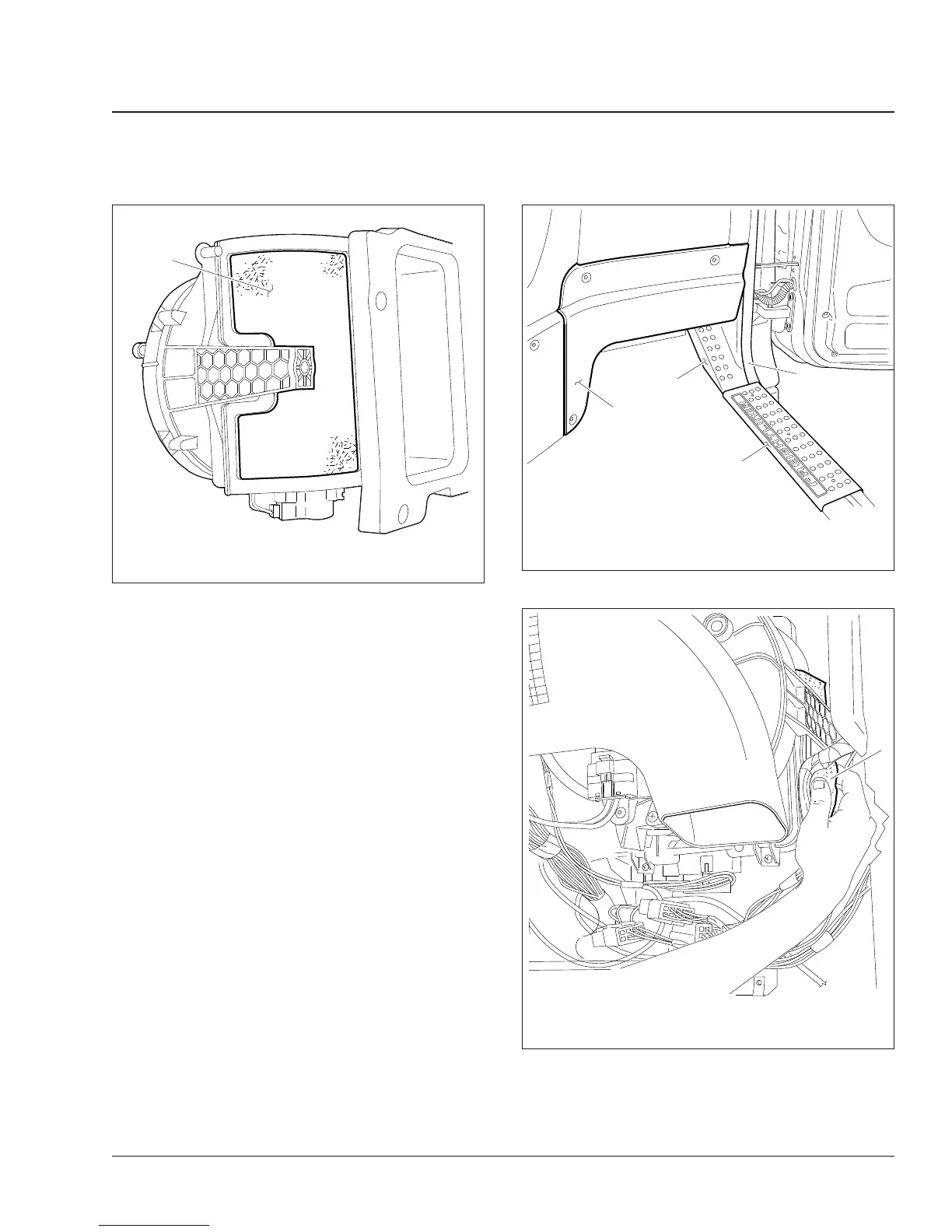
2. Loosen the passenger-side kick panel, tilt it out,
and carefully twist and remove the light bulb
socket from the lens on the back of the panel.
Move the panel out of the way. See
Fig. 6.
3. Remove the door step plate, and then pull the
door seal loose from the bottom of the door
opening to just above the filter area.
Remove the A-pillar trim panel. Remove the
screw (located under the step plate) and disen-
gage the spring clips by pushing the panel to-
wards the center of the cab.
4. Remove the filter from the intake recess in the
back of the plenum. Pull it loose along the bot-
tom edge of the recess, and slide it straight
down. See
Fig. 7.
5. Slide a new filter up into the recess slots of the
plenum. Be sure that it fully seats into the slot all
the way around the opening.
6. Install the A-pillar trim panel, then the door seal,
and finally, the door step plate.
7. Position the passenger-side kick panel, and in-
stall the light bulb socket in the lens, then fasten
the panel.
04/18/2007 f831719
1
1. Filter
Fig. 5, Cab Recirculation Air Filter (shown out of the
vehicle for clarity)
04/17/2007 f831718
1
2
3
4
1. Kick Panel
2. Side Trim Panel
3. Step Plate
4. Door Seal
Fig. 6, Panels
04/25/2007 f831720
1
1. Filter
Fig. 7, Removing the Cab Filter
Heater and Air Conditioner 83
Cascadia Maintenance Manual, August 2015 83/3











 To Next Page