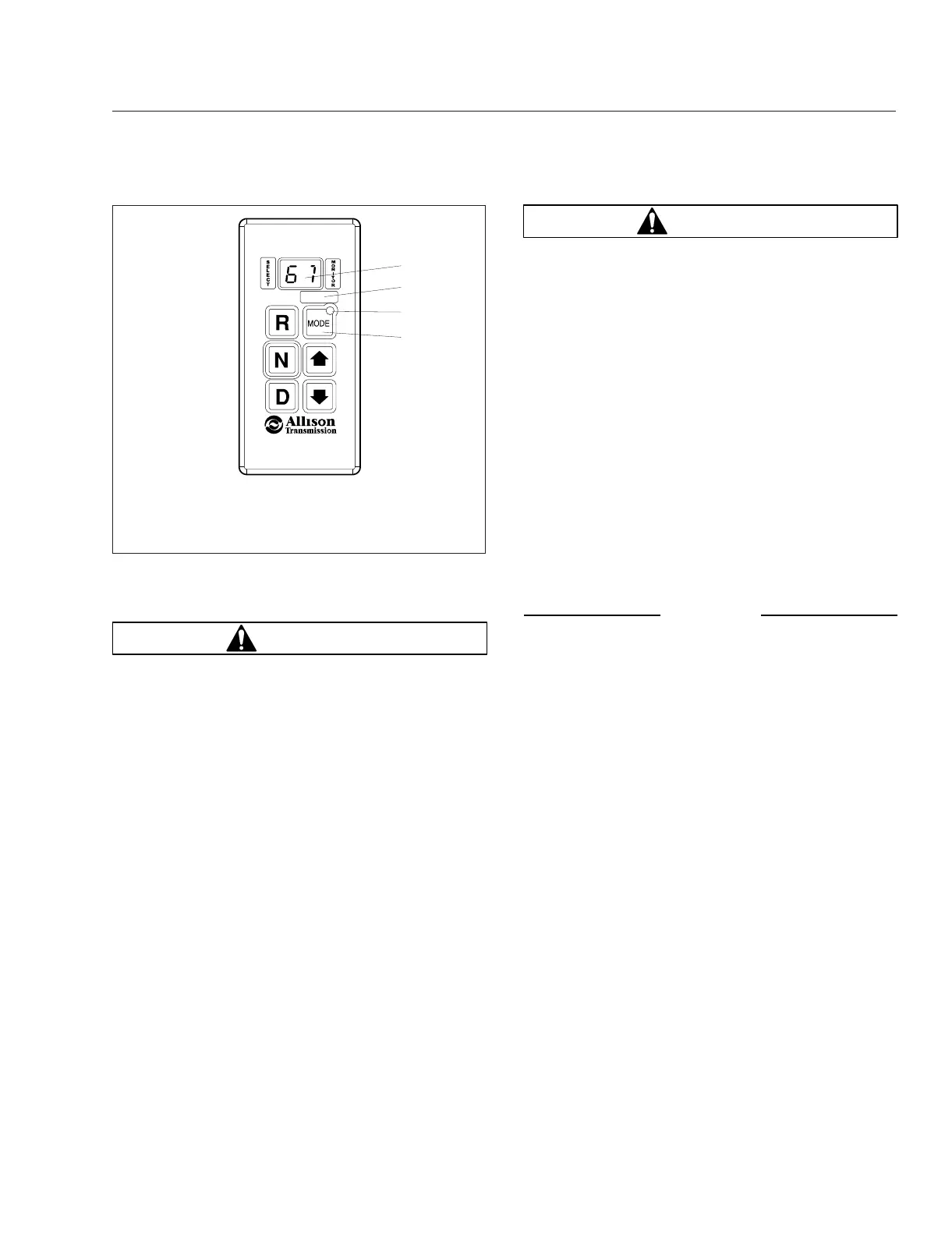
N (Neutral)
WARNING
When starting the engine, make sure that the ser-
vice brakes are applied. Failure to apply the ser-
vice brakes may result in unexpected vehicle
movement, which could cause severe personal
injury or death. Failure to apply the vehicle park-
ing brakes when the transmission is in neutral
may allow the vehicle to move unexpectedly, pos-
sibly causing property damage or personal injury.
Press the N button to select neutral. The digital dis-
play will show N when neutral is selected. It is not
necessary to press neutral before starting the ve-
hicle. The electronic control unit (ECU) or TCM auto-
matically places the transmission in neutral at start-
up.
When neutral is selected, the vehicle service brakes,
parking brake, or emergency brake must be applied.
Selecting neutral does not apply vehicle brakes un-
less an auxiliary system to apply the parking brake is
installed.
WARNING
Do not coast in neutral. Coasting in neutral can
cause an accident, possibly resulting in severe
personal injury or death.
Do not let the vehicle coast in neutral. If the vehicle
is allowed to coast in neutral, the engine brake will
not work and the driver could lose control of the ve-
hicle.
Always select neutral before turning off the engine.
D (Drive)
When the D button is pushed, the highest forward
range will appear in the display. The transmission will
normally go into first range when drive is selected
(except for those units programmed to start in sec-
ond range). As vehicle speed increases, the trans-
mission will upshift automatically through each range.
As the vehicle slows, the transmission will downshift
automatically.
NOTICE
Do not idle in drive for more than 5 minutes. Ex-
tended idling in drive may cause transmission
overheating and damage. Always select neutral if
time at idle is longer than 5 minutes.
NOTE: The shift into drive may not succeed if a
range inhibitor is active. When drive is selected
always be sure that D is not flashing.
5, 4, 3, and 2 (Fifth, Fourth, Third, and
Second Ranges)
Occasionally, road conditions, load, or traffic condi-
tions will make it desirable to restrict automatic shift-
ing to a lower range. Lower ranges provide greater
braking for going down grades. The lower the range,
the greater the braking effect.
Push the up or down arrows on the push-button shift
selector to select individual forward ranges. The digi-
tal display will show the selected range. When a
lower range is selected, the transmission may not
downshift until the vehicle speed or engine RPM (en-
gine governed speed) is reduced.
1
2
3
f610804
07/27/2006
4
1. Digital Display
2. Mode Identification
Label
3. Mode Indicator LED
4. Mode Button
Fig. 10.2, Push-Button Shift Selector
Transmission
10.4











 To Next Page