64 PB
REMOVAL
Indoor Unit
a
b
Note:
Screw off the 2 screws that are locking
the display board.
1.Open the screw caps before removing
the screws around the air outlet.
2.The quantity of screws fixing the front
case sub-assy is different for different
models.
5. Remove front case sub-assy
6. Remove display
Bottom case
Front case
sub-assy
Display
Screws
Clasp
Screw caps
Loosen the connection clasps between
front case sub-assy and bottom case. Lift
up the front case sub-assy and take it out.
Screws
Screw
Detecting plate(WIFI)
2
ProcedureStep
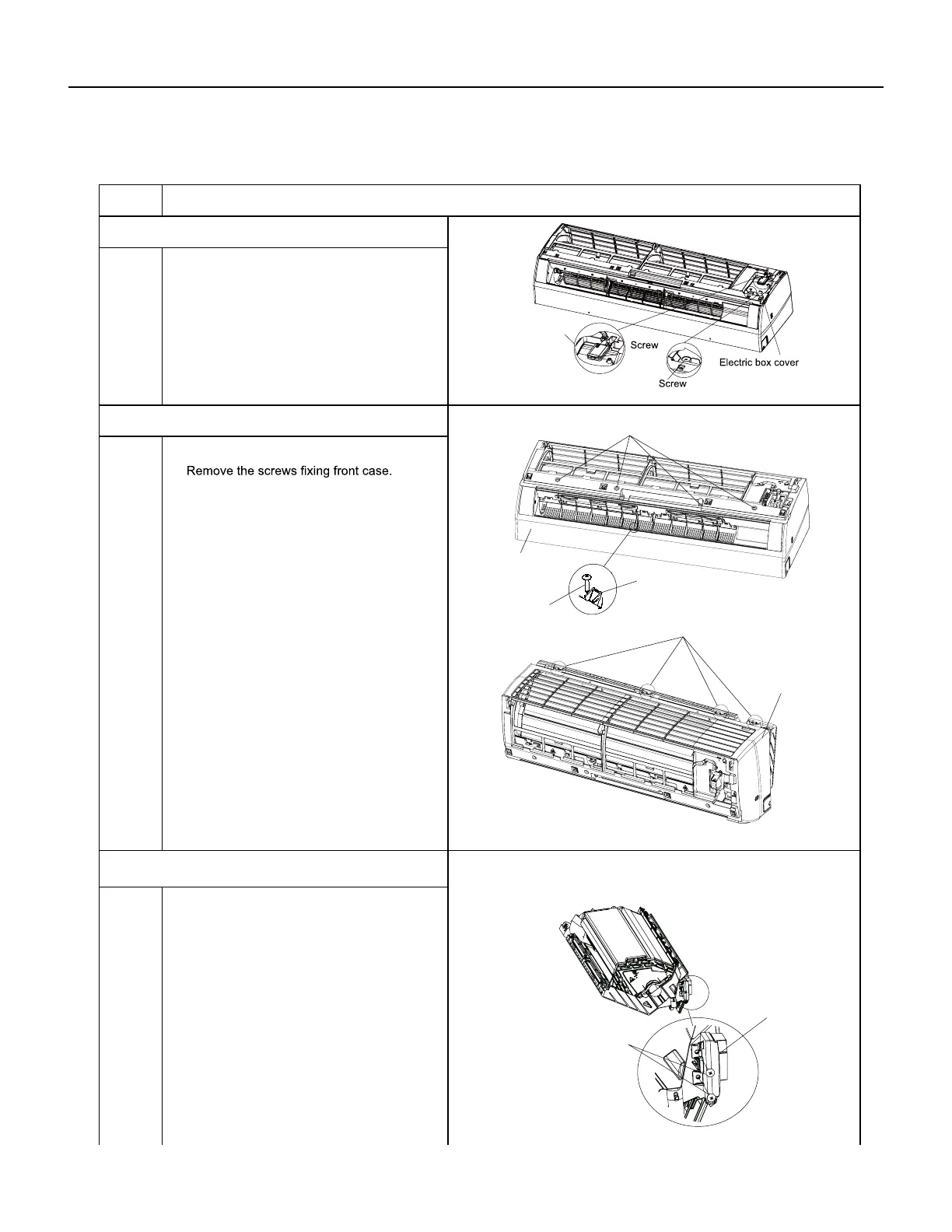
4. Remove electric box cover 2 and detecting plate(WIFI)
Remove the screws on the electric box
cover 2 and detecting plate(WIFI), then
remove the electric box cover 2 and
detecting plate(WIFI).
Note:the position of detection board(WIFI)
may be different for different models.




 To Next Page