ITW?LOR ®v C p f n iG o m r
^ ^ - S U G G E S fld N $ i^
\ 'y
In order to correct any initial progrartiming errors,
during the execution of the'GRI cycle'itMs always
possible to vary the consistency • setting via the
following procedure:
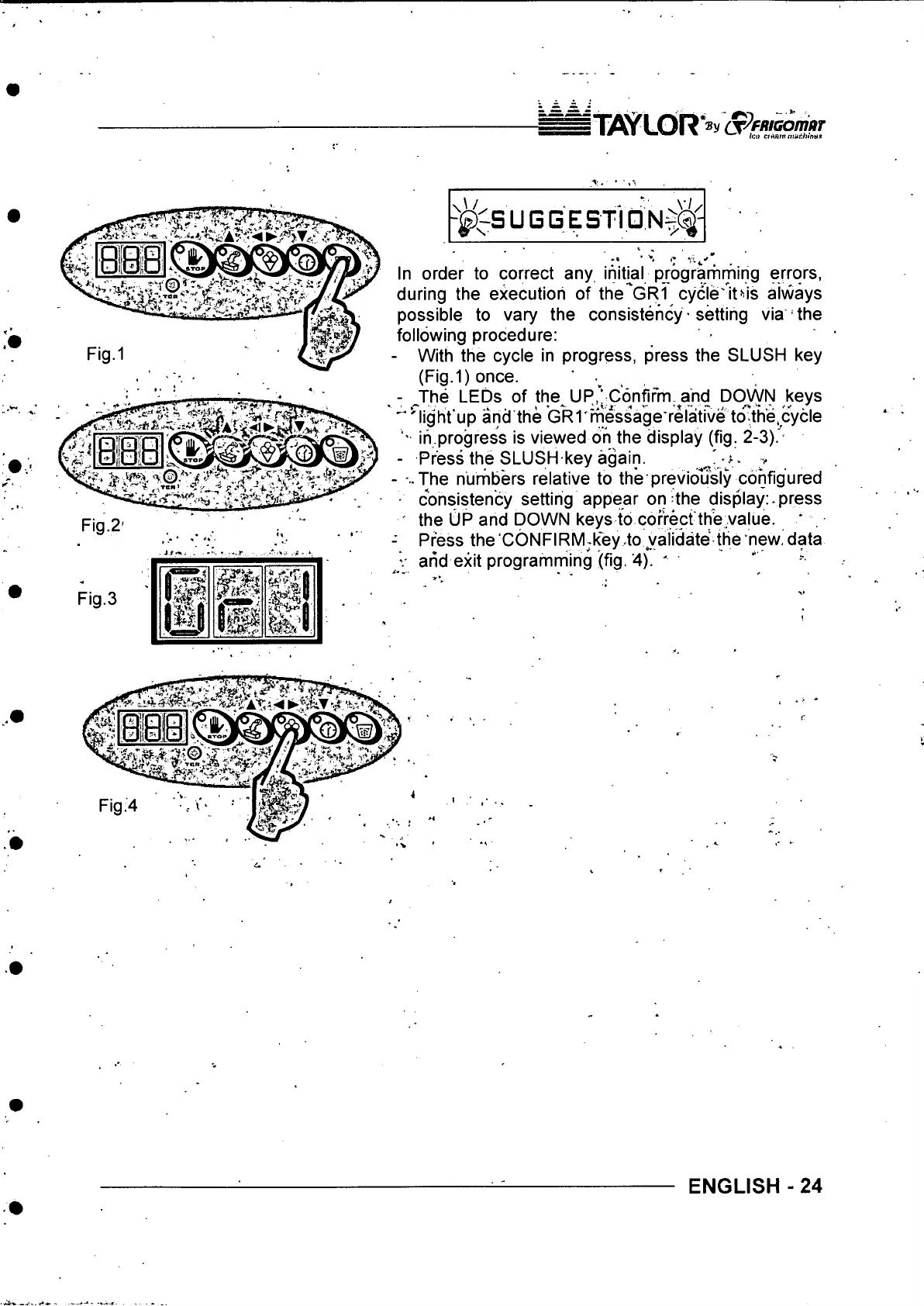
- With the cycle in progress, press the SLUSH key
(Fig.1) once. ,
^The LEDs of the UP,’;C6nfifrTi-^and DOWN keys
^ light'up and the GRI' message relative to th'e.c^^^
' ih progress is viewed oh the display (fig. 2-3)!-
- Press the SLUSH key again. - '
- -..The nurribers relative to the previously configured
■ consistency setting appear on the display: press
Fig.2-
Fig.3
Press the'GONFIRM;key to validate the new, data
arid exit programming (fig. 4). '
ENGLISH - 24



 To Next Page