T flY L O R *® y S ^ fR iG o m a r
’ tea e tf^am nuiC hin ^
6.3.6 COFFEE SLUSH PROGRAM
O
▼VR
Fig.3
Fig.4
n
u
r
PI
L
A aTTENTIDN A
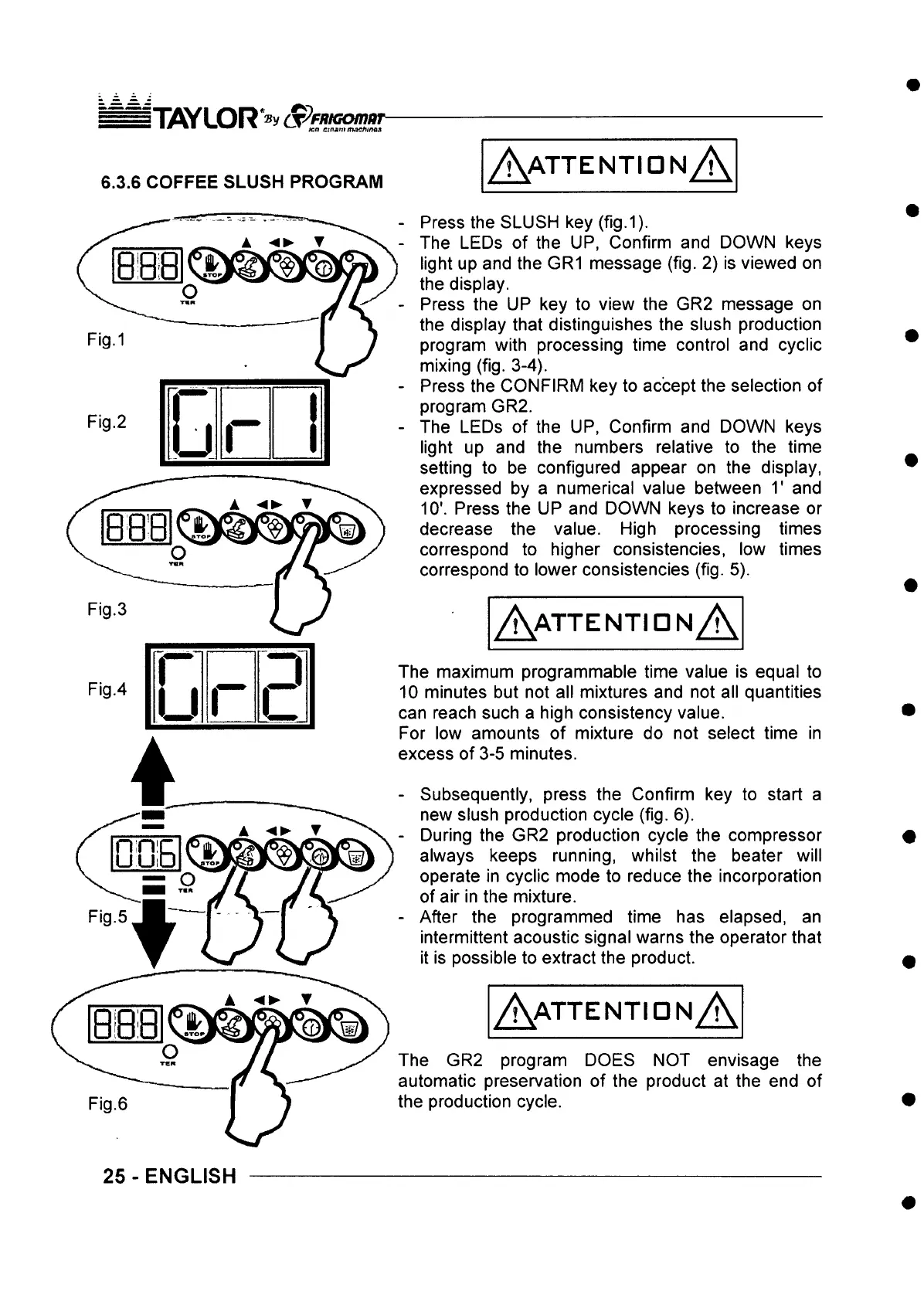
- Press the SLUSH key (fig.1).
- The LEDs of the UP, Confirm and DOWN keys
light up and the GR1 message (fig. 2) is viewed on
the display.
- Press the UP key to view the GR2 message on
the display that distinguishes the slush production
program with processing time control and cyclic
mixing (fig. 3-4).
- Press the CONFIRM key to accept the selection of
program GR2.
- The LEDs of the UP, Confirm and DOWN keys
light up and the numbers relative to the time
setting to be configured appear on the display,
expressed by a numerical value between T and
10'. Press the UP and DOWN keys to increase or
decrease the value. High processing times
correspond to higher consistencies, low times
correspond to lower consistencies (fig. 5).
A a t t e n t id n A
The maximum programmable time value is equal to
10 minutes but not all mixtures and not all quantities
can reach such a high consistency value.
For low amounts of mixture do not select time in
excess of 3-5 minutes.
- Subsequently, press the Confirm key to start a
new slush production cycle (fig. 6).
- During the GR2 production cycle the compressor
always keeps running, whilst the beater will
operate in cyclic mode to reduce the incorporation
of air in the mixture.
- After the programmed time has elapsed, an
intermittent acoustic signal warns the operator that
it is possible to extract the product.
A a t t e n t id n A
The GR2 program DOES NOT envisage the
automatic preservation of the product at the end of
the production cycle.
25 - ENGLISH



 To Next Page