n y s y L O R '» y S^PniG om ur
" ▼ k ft Cfdom nm chiiuui
, , r- « r- r.-r. r-i ... v U /
-^lS U G G E S T ID N -5 (^^
TRWrw-
fc.
Fig.2
In order to correct any initial programming errors,
during the-execution of..the GR2 cycle it*’is always
possible to vary the time setting via the following
procedure: ^
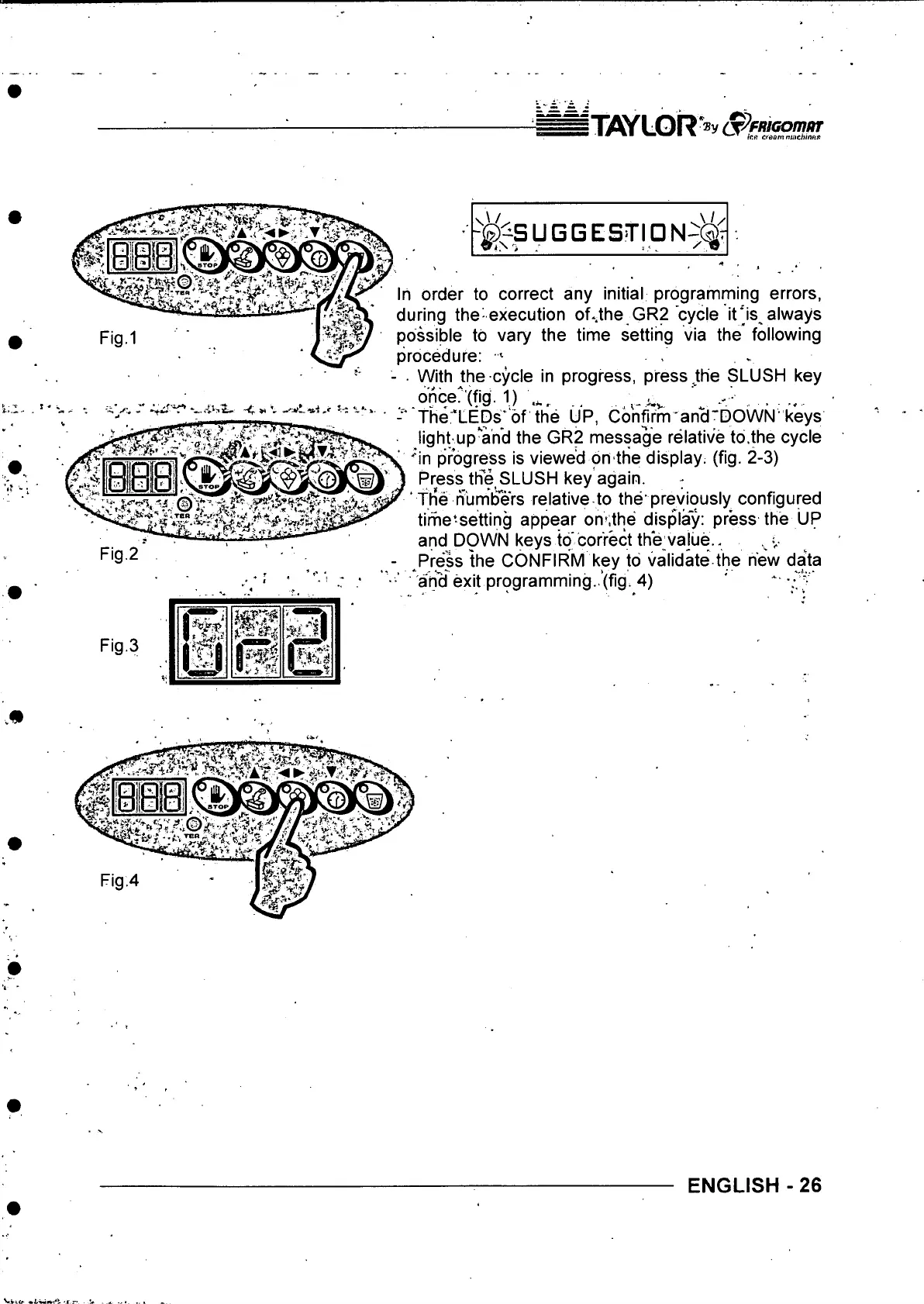
■ With the cycle in progress, press Jthe SLUSH key
once?'(fig. 1) '
.........
-
The 'LEDs’ of the UP, Confirm an^'DOWN'keys
light up*'and the GR2 message relative to.the cycle
'"in progress is viewed on the display, (fig. 2-3)
Press the SLUSH key again.
‘ th*e numbers relative to the’previously configured
time'setting appear om.the display: press the UP
and DOWN keys to correct the vajue.. .
- ^Press the CONFIRM key to validate the new data
■ ari^ exit programming..’(fig. 4) ' * '.O
Fig.3
IlS i
ENGLISH - 26



 To Next Page