FRITZ!Fon 10
Icons in the Display
FRITZ!Fon M2 10
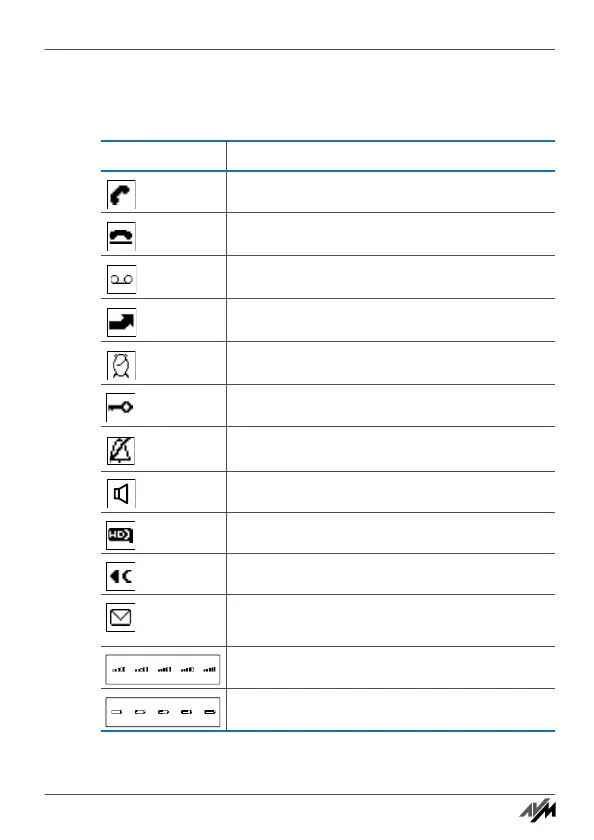
1.3 Icons in the Display
Icon Meaning
Connection established
Connection cleared
Answering machine enabled
Call diversion active
Alarm active
Keypad locked
Do Not Disturb enabled
Hands-free calling enabled
Call in HD
Deletes the last entry
Missed call, message on the answering machine,
firmware update, e-mail, RSS feed or podcast
Quality of connection with base station
Battery state of charge
Handbuch_FRITZ!Fon M2-en.fm Seite 10 Mittwoch, 10. Oktober 2012 1:39 13



 To Next Page