18
7. General Use
7.1 NUMERIC KEYPAD
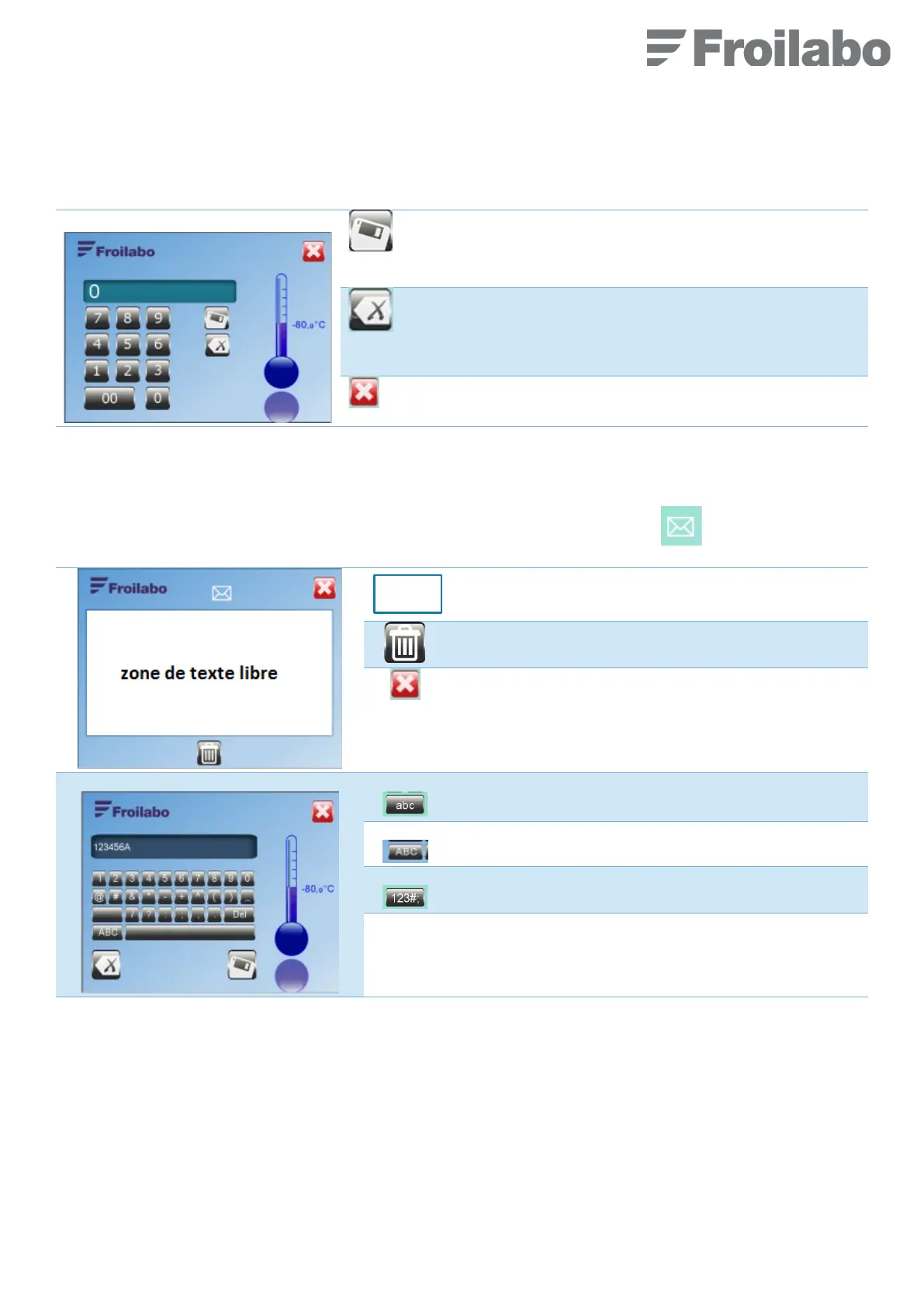
When it is necessary to key a numeric parameter, the below keypad is displayed.
Save the modification and return to the previous screen.
Delete the last digit entered.
Return to the previous menu without saving changes.
7.2 ENTERING A MESSAGE
A text message, visible to all users, can be entered.
This function is accessible from the Home screen by pressing on the envelope icon.
Delete the entire message
Return to the main display
Lower case characters access
Upper case characters access
Number and symbols access
Del Delete the last symbol written


 To Next Page