27
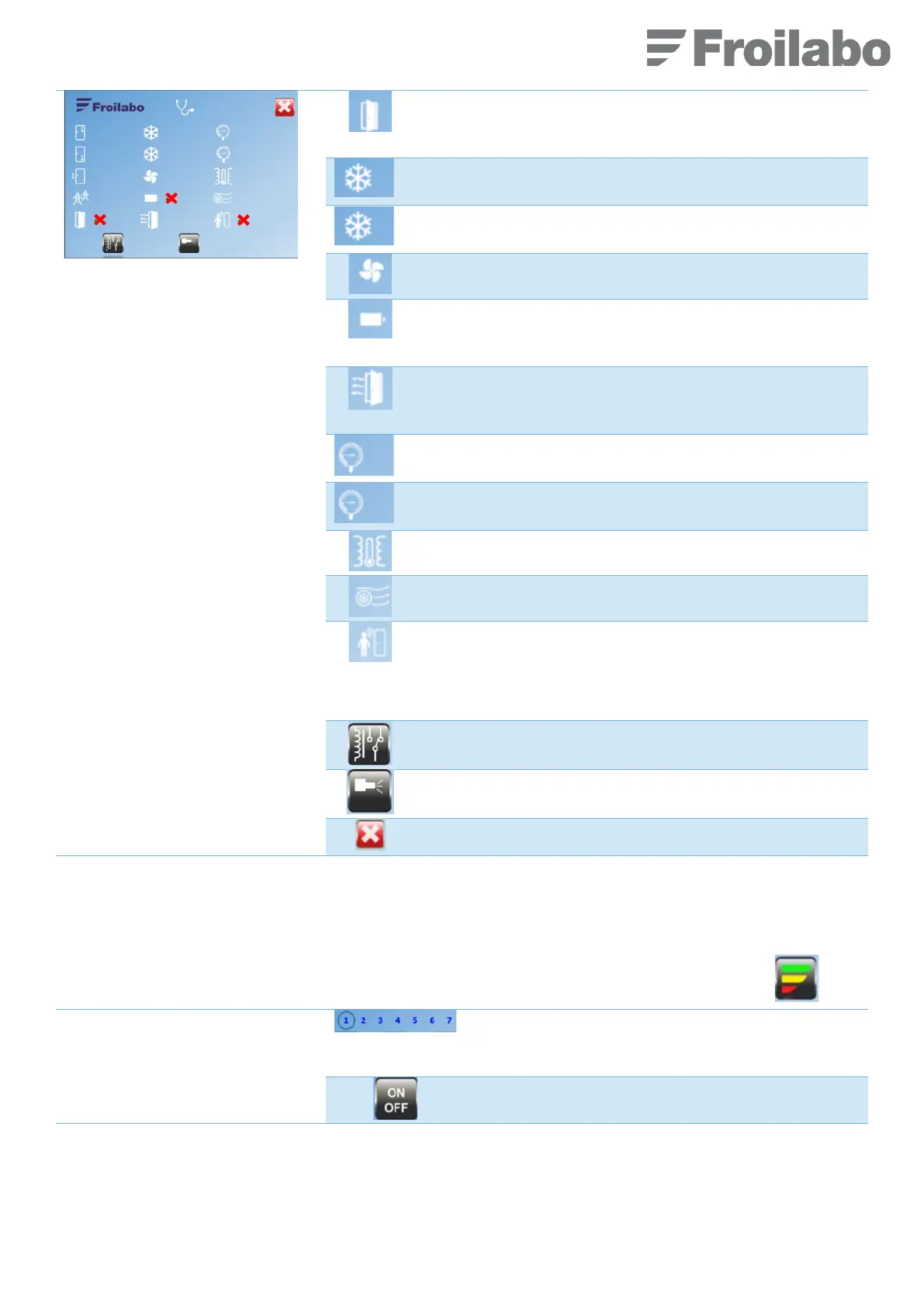
Green tick: door closed
Red cross: door open
High level compressor control (H or CP2):
State of power contact: ON/OFF
Low level compressor control (L or CP1):
State of power contact: ON/OFF
State of power contact: ON/OFF
Green tick: battery charged
Red cross: battery discharged
Heating gasket status: ON/OFF
Default value: ON.
Possibility to put it on ECO mode, see $7.11 (Eco menu).
High level compressor (H or CP2) overpressure sensor.
Pressure value in bar.
Low level compressor (L or CP1) overpressure sensor.
Pressure value in bar.
Heat exchanger temperature sensor.
Temperature in the middle of the heat exchanger (°C)
Condenser fan flow measurement: percentage of maximum
flow measured in factory.
Green tick: Movement is detected in front of the keyboard.
Red cross: No detection of the user or user keeps still in front
of the door.
2
2
solenoid valve test (working only when the option is
activated)
7.11 « ECO » MENU
The Eco menu enables you to minimise power consumption outside of working periods (no door opening).
From the “Home” screen, access to the “Eco” menu by pressing the following pictogram (on the right).
Select the day of the week on which the ECO mode is to
be scheduled.
Monday = 1 to Sunday = 7
ECO mode: enabled (ON) or disabled (OFF).


 To Next Page