23
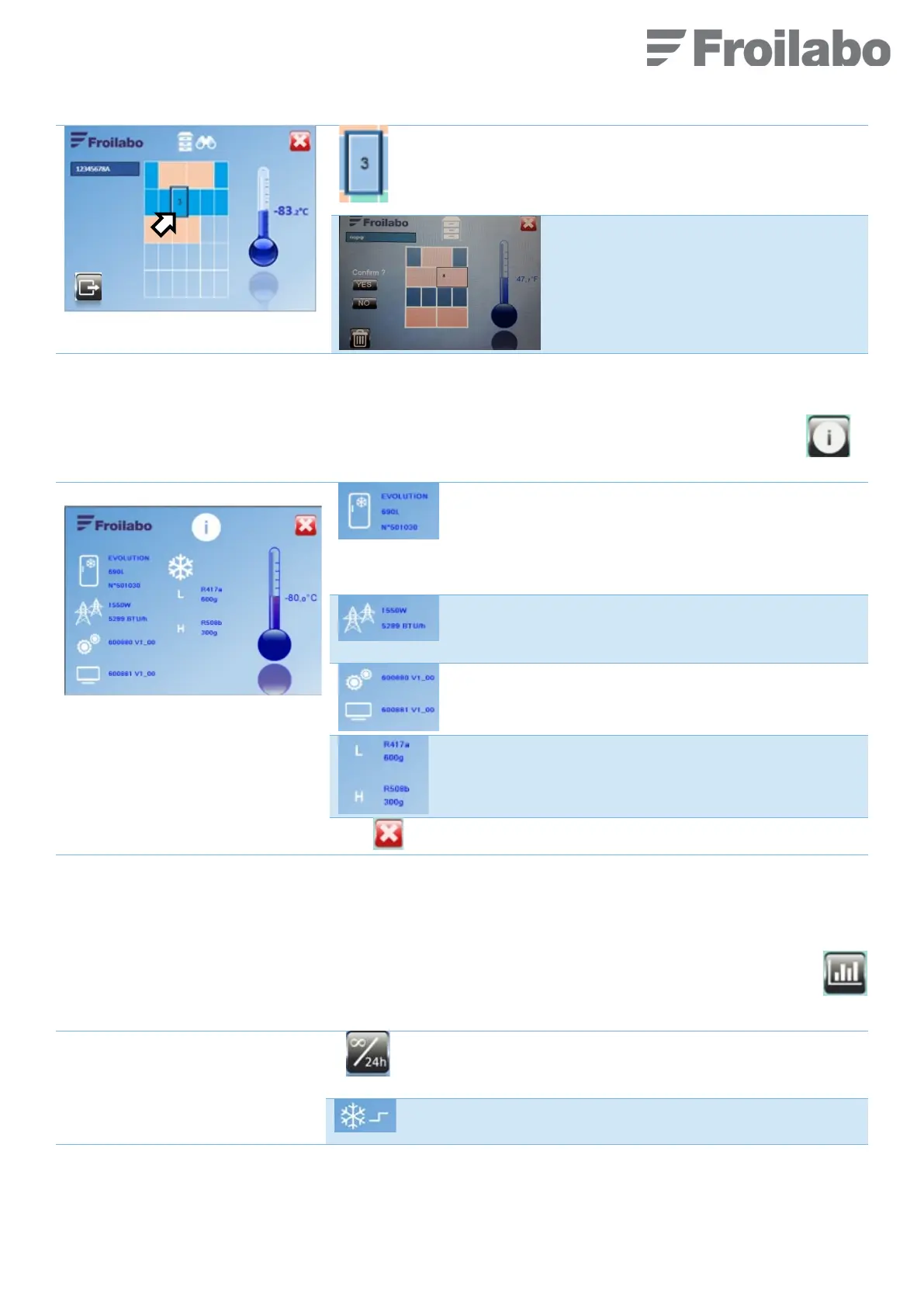
The corresponding storage area is
highlighted.
The drawer or rack number is shown in the
centre.
The sample record can be deleted.
A confirmation is asked (YES/NO).
7.6 « PRODUCT INFORMATION » MENU
From the “Home” screen, access to the “Product information” menu by pressing the following pictogram (on
the right).
The information cannot be modified. The following
information are displayed:
Model name
Capacity in litres
Serial number
- Maximum electrical power rating
- Electricity consumption converted to BTU/h (1 W =
3.412141633 BTU/h)
- System software version
- Screen software version
- CP1 or L: 1
st
stage refrigerant type and load
- CP2 or H: 2
nd
stage 2 refrigerant type and load
7.7 « STATISTICS » MENU
Data is stored in the unit. It can be displayed either for the last 24 hours or for the entire operating life of the freezer.
From the “Home” screen, access to the “Statistics” menu by pressing the following pictogram (on the right).
Select the reference period:
- “24H”: last 24 hours
- "4EVER”: since the freezer was commissioned
Number of start-ups (e.g. 10) and number of start-ups per hour
(e.g. 3/h) for each compressor*.


 To Next Page