24
*
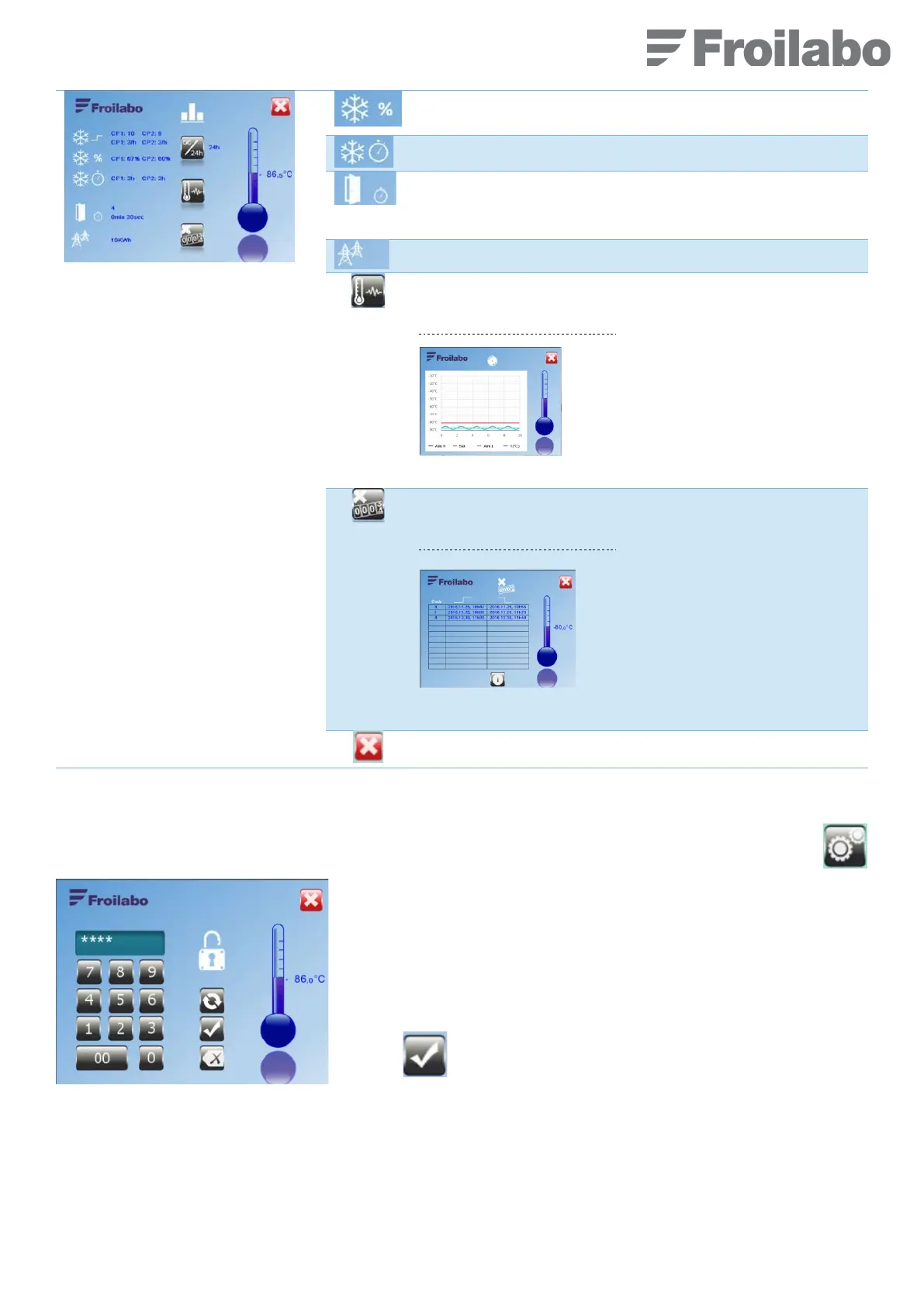
CP1: Stage 1 (bottom) compressor
CP2: Stage 2 (top) compressor
Compressor usage rate: compressor operating time relative to
the total operating time of the unit (e.g. 98%).
Compressor usage time, in hours (e.g. 23).
Number of door apertures, and average duration of the door
aperture (e.g. 0min20sec).
NB: During the last 24 hours, the data is up-dated every hour
Electrical power consumption of the unit (e.g. Wh).
Temperature evolution for the last 10 hours.
Display the following screen:
The graph shows the actual temperature
(T°C), the high (Alm H) and low alarm
(Alm L) level
setpoint (Set).
Temperature graph
Access to defaults record.
Display the following screen:
List of the 10 last alarms recorded
including nature of default, date and
time when default occurs.
Error codes are listed in the first
column.
Fault history
7.8 « CONFIGURATION » MENU
From the “Home” screen, access to the “Configuration” menu by pressing the following pictogram (on the right).
Enter the access code (5 digits).
Default code: “11111”.
Confirm.


 To Next Page