14
5. First contact with your freezer
5.1 MAIN SCREEN
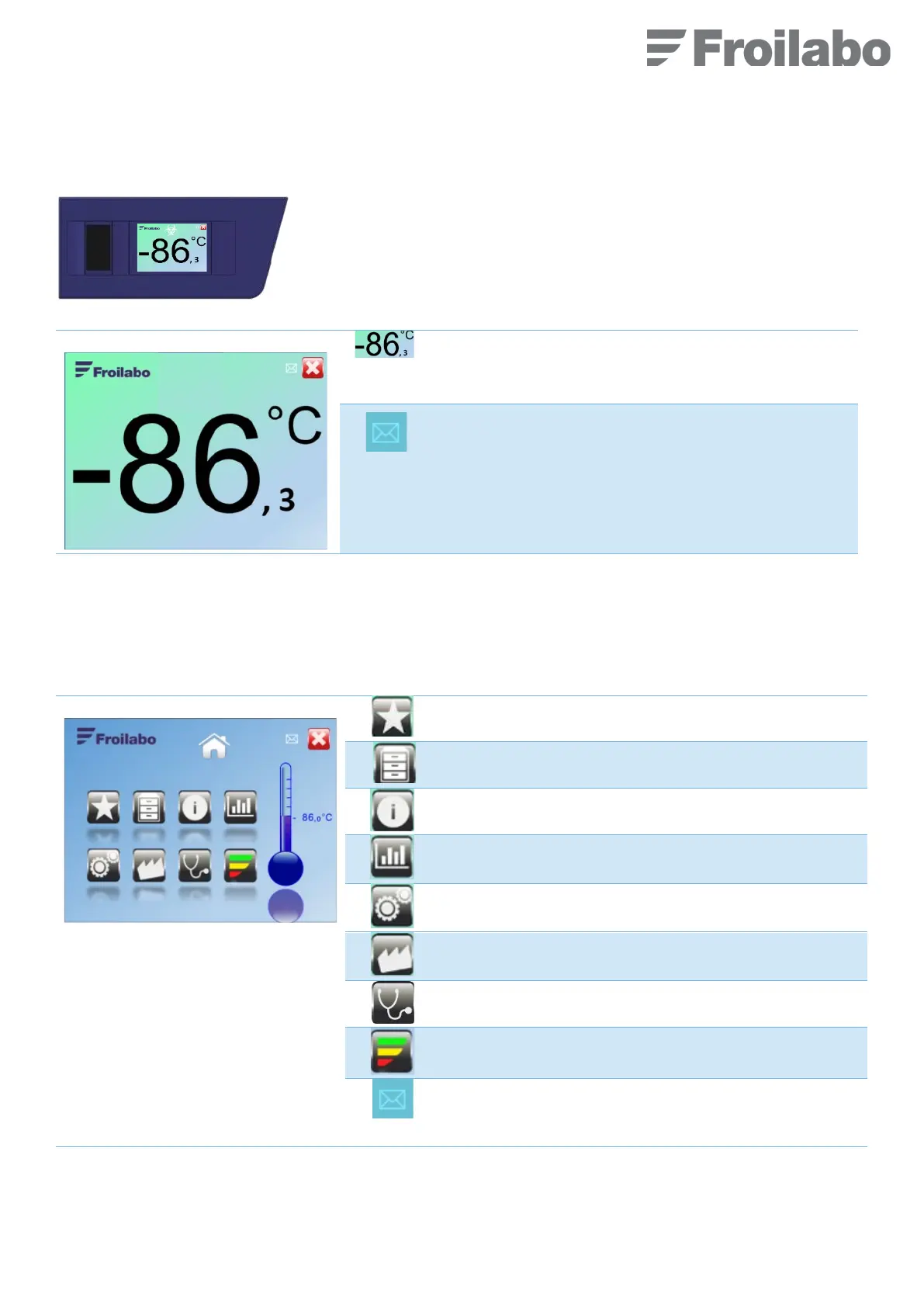
When the freezer is in use, the screen on the left is permanently displayed.
An envelope flashes when a new message is received.
Biohazards or radioactivity symbols can be displayed at the
top of this screen and can be activated in the user preference
menu (section 5.6). This is only a visual indication.
5.2 HOME SCREEN
Press anywhere on the main display to show the Home screen. The Home screen provides access to all available menus.
If the screen is not touched during 1 minute, the main display automatically resumes.
Sample location menu (activated if the option is valid)
Setting menu (password required)
Factory settings (unused by the customer)
Access to a free text area where it is possible to enter a
message.
The envelope will flash to indicate a new message.


 To Next Page