21
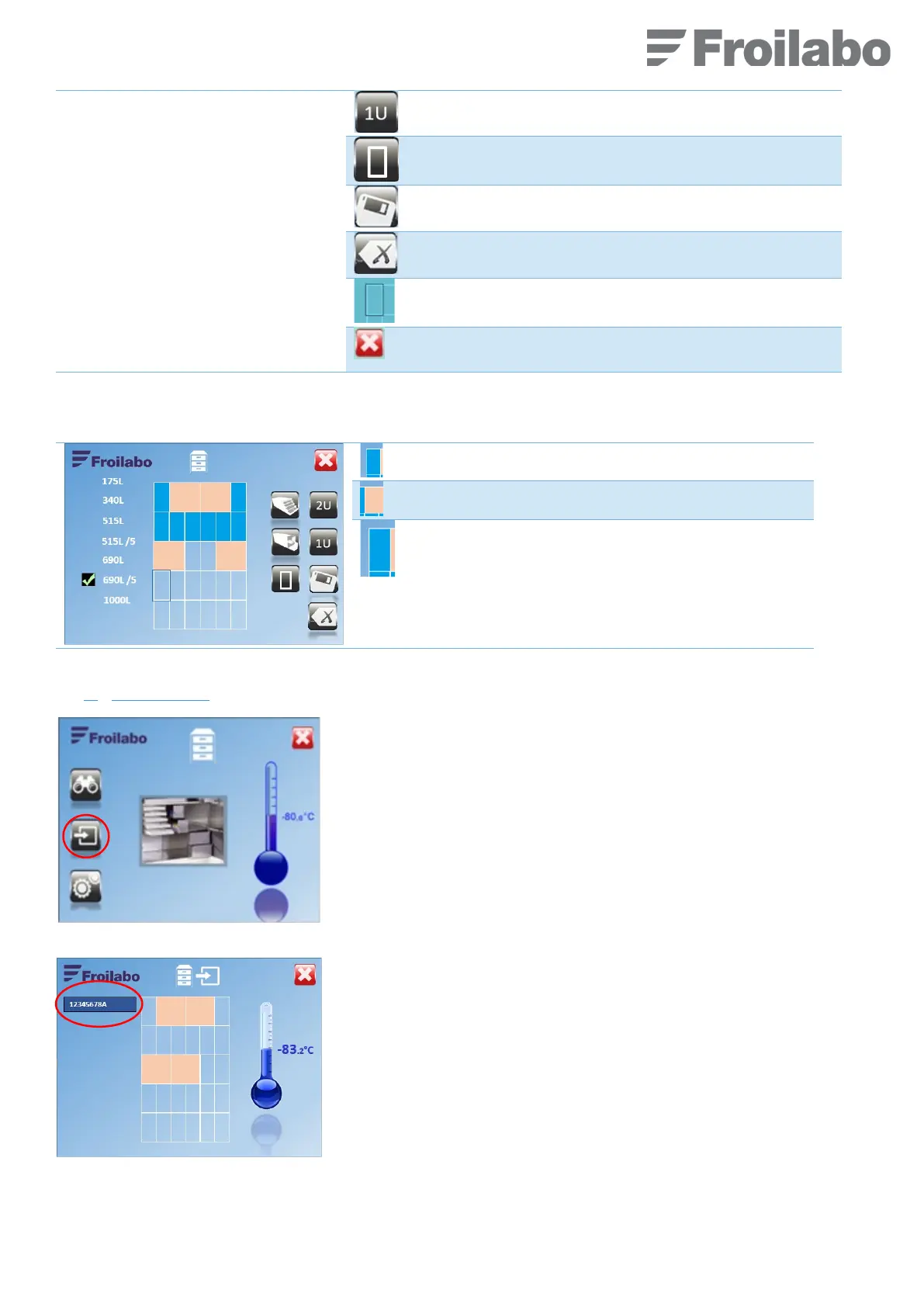
Select any other accessory one unit wide.
Exit the menu, recording the configuration.
Erase the last item entered.
The elementary location being configured is
highlighted.
Return to the previous menu without saving
changes.
Example after configuring the top three shelves:
The cursor is positioned on the next zone to be edited.
b)
Sample entry :
From the “Location sample” screen, access the “Add sample” menu by
pressing the pictogram (encircled in red on the picture).
Confirm.
Press the blue zone to enter a sample identifier. A data entry keyboard is
displayed.


 To Next Page