35
4. Remove the chart.
5. Position the new disc, inserting it beneath the clips, and then tighten the knurled nut without forcing.
6. Put the pen back to the right position.
Note: the chart is perfectly aligned with the axis.
1)
Time setting
Turn the disc support clockwise manually to the desired date and time.
Use the tip of the pen as a reference point. It is essential to turn clockwise to avoid backlash in the timer mechanism.
2)
Replacing the LR6 (AA) battery
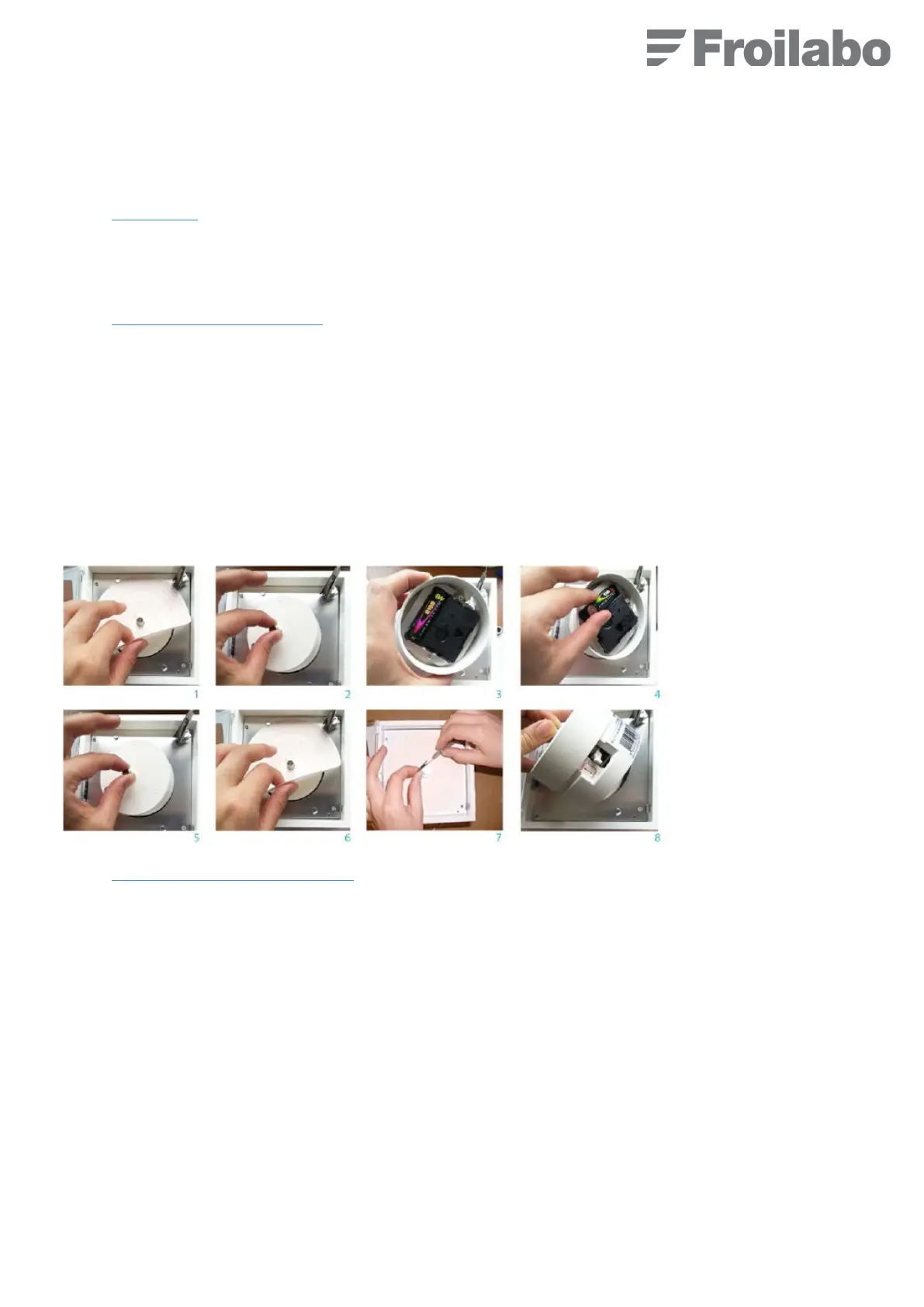
1. The battery compartment is located underneath the paper disc in the recorder (1).
2. Remove the paper disc (1).
3. Remove the drive mechanism and turn it upside down (2 and 3).
4. Replace the battery, ensuring that the polarity is correct (4).
5. Replace the drive mechanism (5).
6. Position the disc beneath the clips and then tighten the knurled nut (knurling on outside) without forcing (6).
7. Set the time (7).
Note: The operating speed can be selected (1× 24 h or 7× 24 h). To change the speed, move the drive mechanism switch
downwards (8).
3)
Replacing the stylus in the recorder
The pen is supplied in a sealed silver-coloured bag.
1. Raise the arm.
2. Remove the pen, holding the arm between your thumb and index finger
.
3. Insert the new pen.
4. Remove the protective cap.
5. Lower the arm.
6. Set the time.



 To Next Page