42
1
1
2 3
Caricamento parametri: avviene automaticamente
selezionando il programma desiderato.
Salvataggio parametri: se il LED destro del display F è
spento, tenendo premuto il tasto SALVA tale LED inizia
a lampeggiare velocemente ad indicare che i parametri
sono stati salvati.
Il programma P=00 è di sola lettura ed è congurato con
valori di fabbrica.
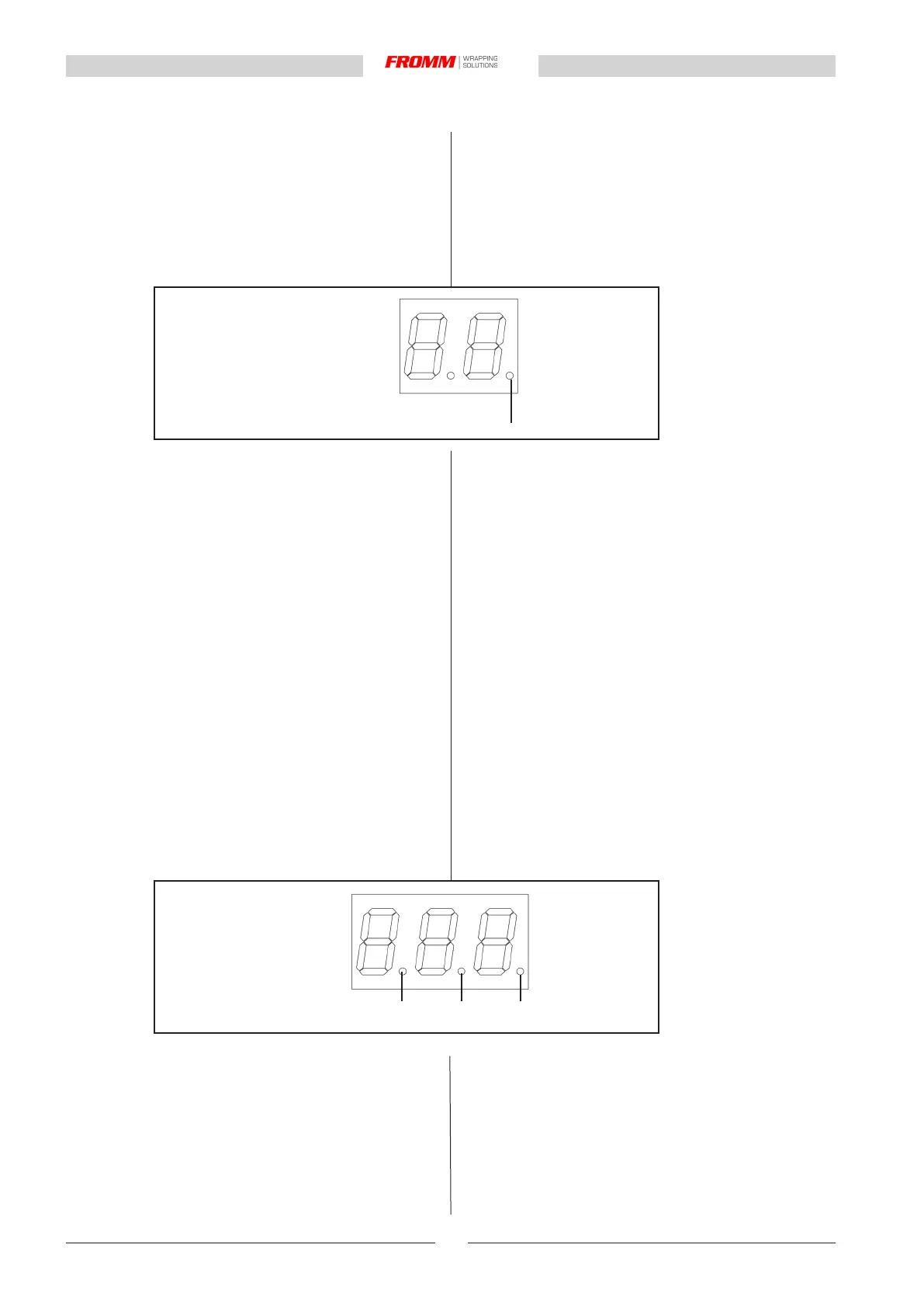
1: indica lo stato di blocco del programma
ACCESO : programma bloccato (F00=0)
SPENTO : programma sbloccato (F00=1)
È possibile creare 99 programmi (3 per la versione
EASY): per copiare i parametri di un programma esistente
su un programma vergine, selezionare il programma
sorgente, premere l'icona COPIA (S) (il display V
visualizzerà CPY per indicare l'operazione copia e incolla
in corsa), agire sui pulsanti P+ e P- per selezionare il
programma di destinazione e premere inne l'icona
INCOLLA (T).
NB: Il programma di destinazione deve sempre essere
sbloccato (F00=1).
Richiamo automatico dell’ultimo programma
utilizzato. Alla successiva riaccensione della macchina
verranno caricati i parametri dell’ultimo programma
selezionato ed avviato.
Blocco / sblocco tastiera: impedisce la modica dei pa-
rametri bloccando le iconeV+ e V-; premere in sequenza
le icone SALVA (V), F+, F-, BLOCCO TASTIERA (W).
Quando la funzione è attiva il LED destro del display V
si accende e rimane acceso. .
Lo stato di blocco/sblocco permane anche dopo il ciclo
di spegnimento e riaccensione della macchina.
1: indica il punto decimale ( valori da 0.00 a 9.99)
2: indica il punto decimale (valori da 0.0 a 99.9)
3: indica lo stato di blocco della tastiera
ACCESO : tastiera bloccata (V+eV- bloccati)
SPENTO : tastiera sbloccata (V+eV- sbloccati)
1: indicates the decimal point (values from 0.00 to
9.99)
2: indicates the decimal point (values from 0.0 to 99.9)
3: indicates the block status of keyboard
ON: keyboard blocked (V+ and V- blocked)
OFF: keyboard released
Loading of parameters: takes place automatically by
selecting the desired programme
Saving of parameters: if the LED right of the display
F is turned off, press the SAVE key for more than 4
seconds. This LED will start to ash rapidly to indicate
that the parameters have been saved.
The program P=00 is read-only and it is congured with
default values.
1: indicates the block status of keyboard
ON: keyboard blocked (F00=0)
OFF: keyboard released (F00=1)
A total of 99 programs can be created (3 for EASY
versione): in order to copy the parameters of a saved
program to a new one, select the source program, press
the COPY (S) icon (CPY appears on display V to indicate
that a copy and paste operation is in progress), press
the keys P+ and P- to select the target program and then
press the PASTE (T) icon.
NB: The virgin target programme must always be re-
leased (F00=1)
Automatic opening of the program used previously.
When the machine is turned on again, the parameters
from the last programme selected and started will be
lloaded.
Disable/enable keypad: prevents modication of param-
eters by blocking the icons V+ e V-; press, in order, the
icons SAVE (V), F+, F-, DISABLE KEYPAD (W). When
the function is enabled, the right LED on the display V
turns on and remains steady.
The disabled/enabled status remains even after the
machine has been turned off and on again.


 To Next Page