Contents [ hide
1 FrSky 2.4GHz Taranis Q X7/ X7S Access
2 Introduction
3 Overview
4 Switch Default Setting
5 Adjust sticks of Taranis Q X7/X7S ACCESS
6 Battery Connector
7 Specifications
8 Features
9 Comparison List
9.1 About USB 2S Li-battery balance charging :
10 Navigate the Menu
11 Taranis Q X7/X7S ACCESS supports OpenTX system
11.1 Encoder Button
11.2 MENU Button
11.3 PAGE Button
11.4 EXIT Button
12 Menu Tree
13 Quick select options
14 Model Setup for Taranis Q X7/X7S ACCESS Internal RF Module
14.1 Step 1: Set the Mode for Taranis Q X7/X7S ACCESS Internal RF.
14.2 Step 2: Set the Channel Range
14.3 Step 3: Set the Receiver Number
14.4 Step 4: Registration
14.5 Step 5: Automatic binding (Smart Match )
14.6 Step 6: Set Failsafe mode
14.7 Step 7: Range
15 FLYING SAFETY
15.1 Warning:
15.2 Battery
16 Where to Fly
17 At the flying field
18 Updates
19 Related Manuals:
FrSky 2.4GHz Taranis Q X7/ X7S Access
Introduction
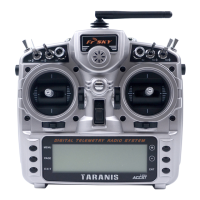
The Taranis Q X7/X7S ACCESS features 24 channels with a faster baud rate and lower latency thanks
to its high-speed module digital interface. As with the rest of the ACCESS transmitters, it provides a
secure and reliable link, along with wireless firmware updating making it fully compatible with our
newest line of OTA receivers. The battery compartment now uses 2 18650 Li-Ion batteries and can be
balance charged via the Mini USB interface.



 To Next Page
 Loading...