HIGH EFFICIENCY DECATHLON SERIES GAS FRYERS
CHAPTER 1: SERVICE PROCEDURES
1-11
1.7 Replacing Fryer Components
1.7.1 Replacing the Computer
1. Disconnect the fryer from the electrical
supply.
2. Unscrew the two computer panel screws.
The computer panel is hinged at the bottom
and will swing open from the top.
3. Unplug the fryer wiring harness and ground
wire from the back of the computer.
4. Remove the computer by lifting it from the
hinge slots in the fryer control panel frame.
5. Reverse the procedure to install a new
computer.
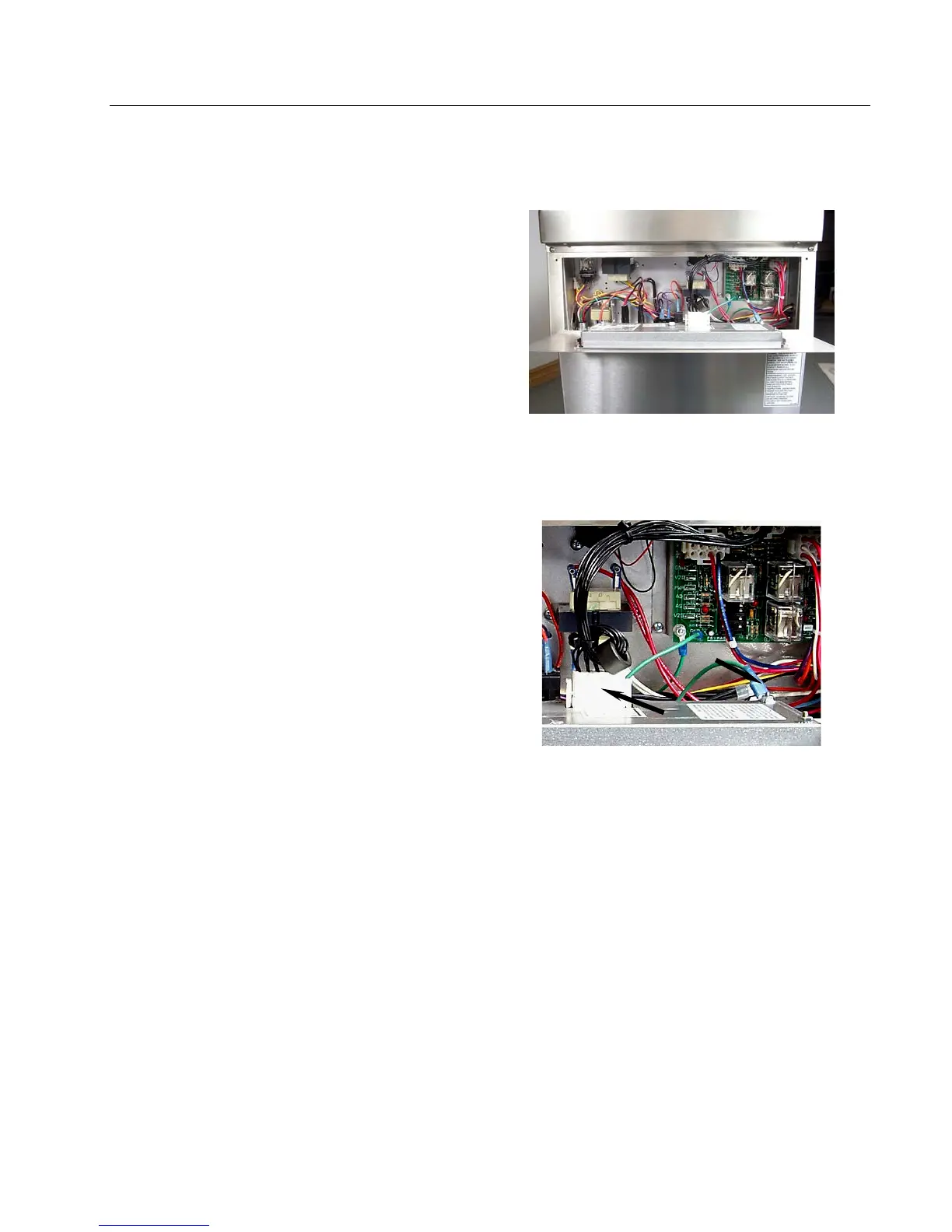
Computer panel in “down” position.
Disconnect the 15-pin connector and ground
wire (arrows) from the computer.










 To Next Page