Error messages
・Error messages requiring power off/on cycle
Error
No.
Displayed message Method of recovery
E01
Print Head does not work (up).
Please re-start the printer.
E02
Print Head does not work (down).
Please re-start the printer.
Check the “Entrance Cover” if it is properly attached.
Please re-start the printer
E03
Failed to feed ribbon.
Please check the ribbon and re-start
the printer.
Please check if the ink ribbon is breaking and/or caught in
the mechanism, and then follow the instruction “Ribbon
Break-down” in the instruction manual to re-set the ink
ribbon.
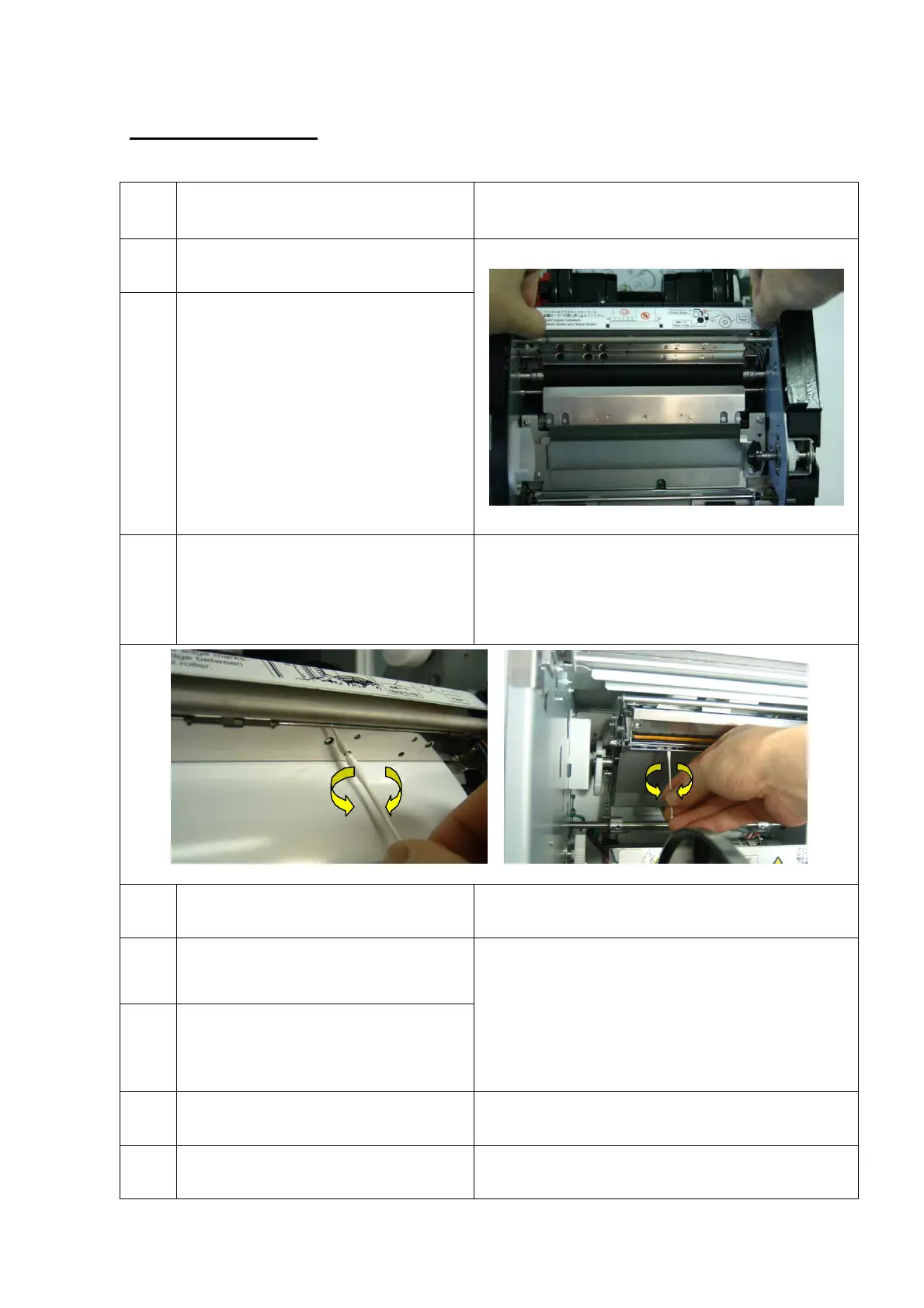
Clean the ribbon sensor.
E04
Error in head controller.
Please re-start the printer.
Please re-start a printer.
E05
Failed to feed paper (forward feed).
Please check the paper and re-start
the printer.
E06
Paper jam during rewinding (rewind
feed).
Please check the paper and re-start
the printer.
Refer to the instruction “Paper Feeding Error” in the
instruction manual, and set the paper again.
Check the paper core securely locked. (See instruction
manual)
Remove remaining paper-slug and/or dust from the paper
path if any.
E07
Abnormal paper cutting.
Please re-start the printer.
Make sure that paper-slug and/or dust is not put on the
cutter.
E08
Internal command error.
Please re-start the printer.
Please re-start the printer.
21/28


 To Next Page