23/28
Recoverable errors
・ If one of following warning messages is displayed, please take the action described in
display.
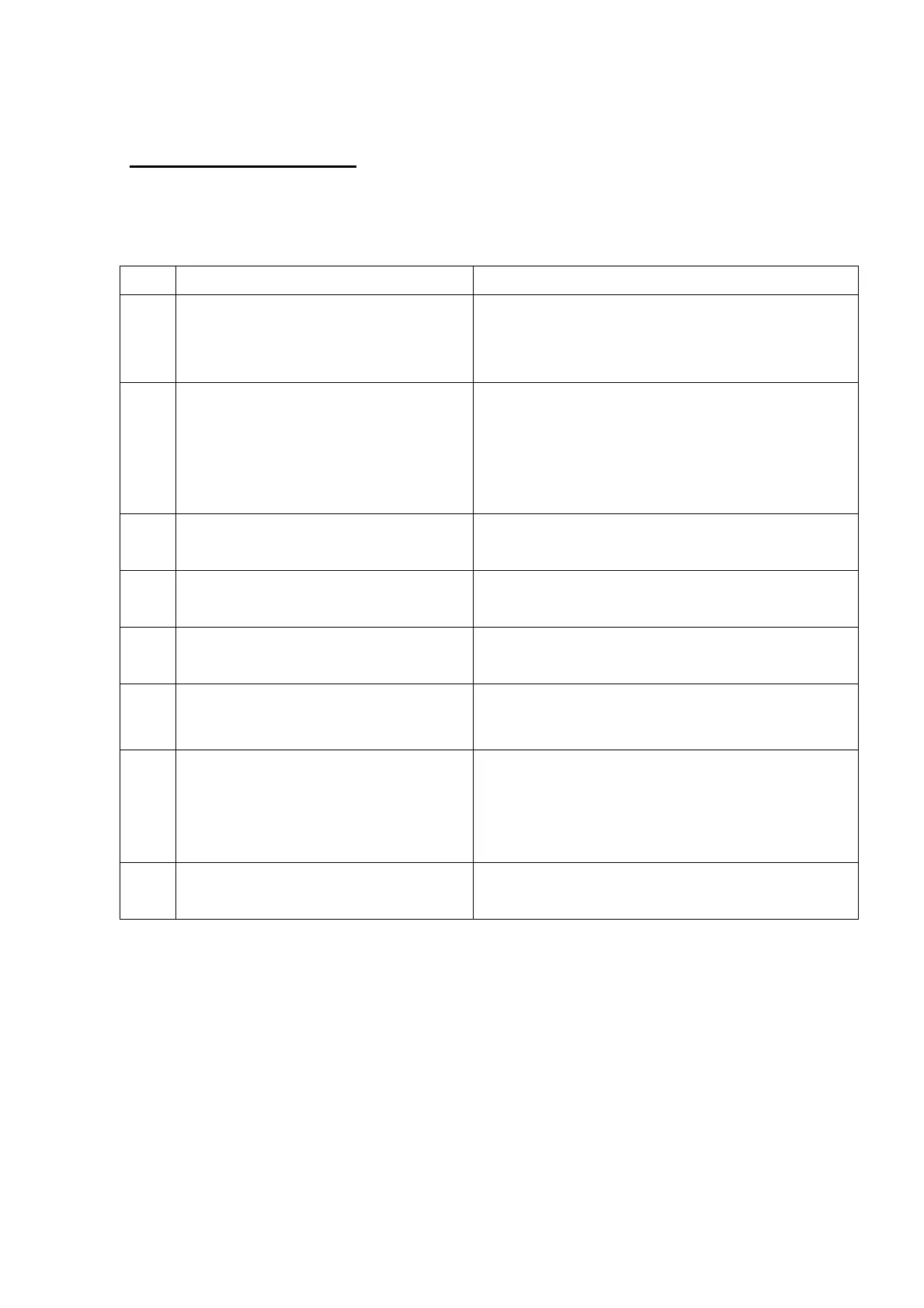
No. Displayed message Method of recovery
W51
Ink Ribbon run out.
Please replace the Ink Ribbon.
Ink ribbon has run out. Please replace the ink ribbon.
This warning massage may also appear occasionally
when the dust put onto the ribbon sensors. Please try
cleaning of the sensors.
W52
Please place a proper size of paper
and ink ribbon.
Also, check paper size setting of the
printer driver.
Size of the actual media in the printer is not matching to
the print order size.
(e.g., 5x7-inch media is set to the printer while the print
order is 4x6 format.)
Please set the proper size of media, or check the print
order setting.
W53
Front door is open.
Please close the door.
Front door is open. Please close the door.
W54
Ink Ribbon is not set.
Please set an ink ribbon.
The ink ribbon has run out. Please replace the ink ribbon
and the paper simultaneously.
W55
Roll paper is empty.
Please replace the roll paper.
The paper has run out. Please replace the paper and the
ink ribbon simultaneously.
W56
Paper cannot be fed correctly.
Please re-set the roll paper.
Paper is not set correctly. Please re-set the paper roll,
and make sure that the leading edge of the paper is
properly inserted.
W57
Please place a proper size of paper
and ink ribbon.
Also, check paper size setting of the
printer driver.
Same as “W52”.
W58
Front door is open.
Please close the door.
Same as “W53”.


 To Next Page