■ Printer driver cannot be installed 1
< If the printer driver cannot be installed at all for connection to the 1st printer. >
[Cause]
You cannot install the printer driver when the dedicated application software for ASK printer such
as ASK print module “SF-PM” is installed in the PC. The new hardware cannot be automatically
detected.
[Solution]
Follow the instruction below. Uninstall the application software once, and install the printer driver
the first. After that, re-install the application software.
1) Delete the dedicated application software for ASK printer by the following procedures.
・ Choose [Start]→[Control Panel]→[Uninstall the program]. (In case of Windows XP [Add or
Remove programs])
・ Select the application software for ASK printer from the screen. Click on [Uninstall /Change]
remove the application. (In case of Windows XP [Remove])
2) Delete the USB controller and driver as follows. (Please keep the ASK-2000 printer connected
to the PC.)
・ Select [System] from [Start]→[Control Panel].
・ Select [Hardware] tab from [System] of property. Click on [Device Manager].
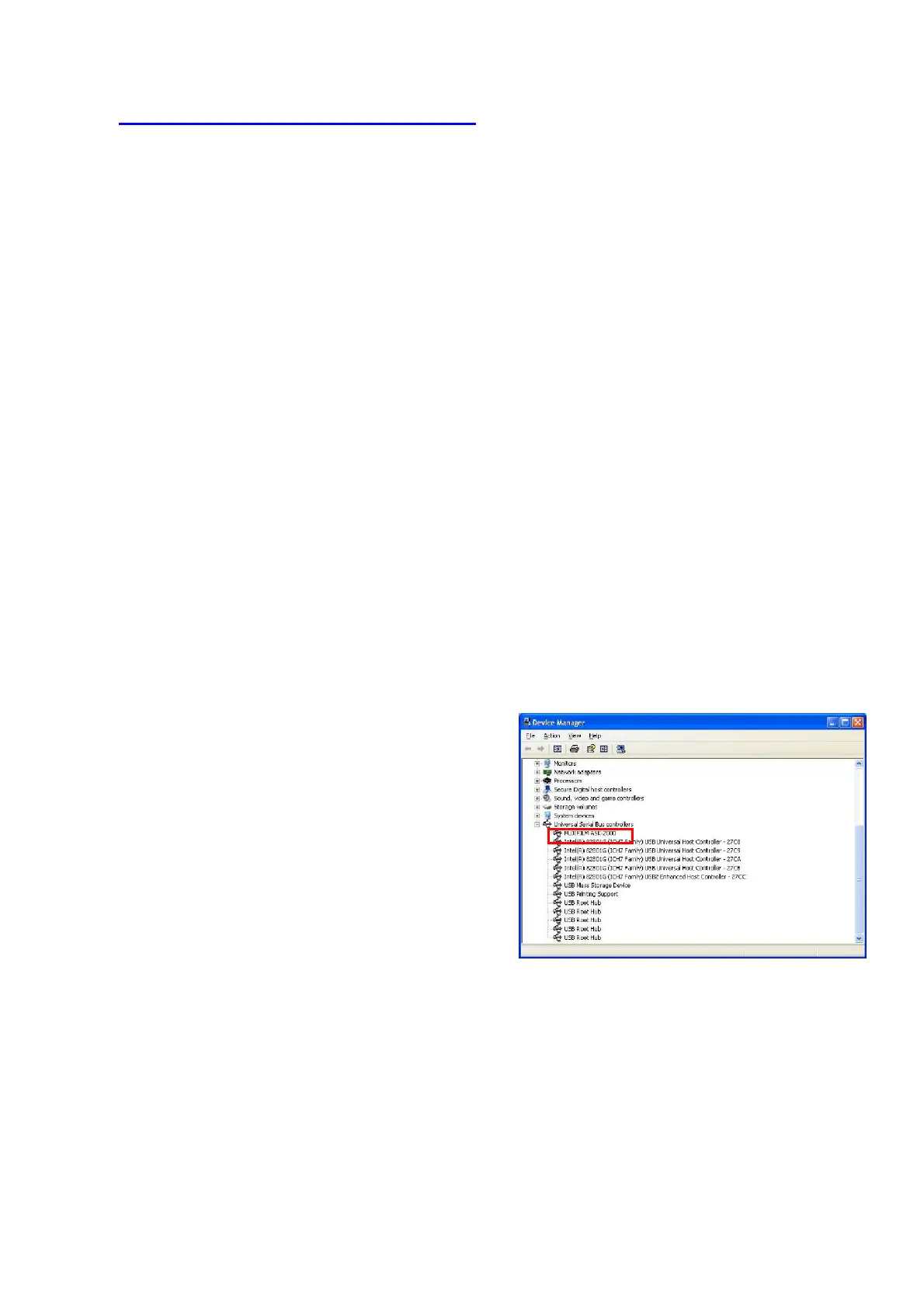
・ Click on [+] of [Universal Serial Controller], select [FUJIFILM ASK-2000] and delete.
(If there is not FUJIFILM ASK-2000 in the list, go to the next step.)
・ Click [Start]→[Settings]→[Printer]. (In
case of Windows XP [Printer and
Faxes])
・ Right-click at the blank area and
choose [Run as an
administrator]→choose [Server
Properties] from menu. (In case of
Windows XP [File]→[Server
Properties] )
・ From the [Server Properties]menu, click
[Driver]tab and select [FUJIFILM
ASK-2000], then click [Remove].
・ Click [Yes] on the confirmation dialog
[Fig.53]
3) Turn off the ASK-2000 and restart the PC.
4) Turn on the ASK-2000 and start installing the printer driver.
5) Set up ICC profile to chapter 4 “How to use ICC profile”.
6) Re-install the application software according to the installation procedures of each application.
25/28


 To Next Page