■ Printer driver cannot be installed 2
< If the printer driver for the 2nd printer cannot be installed. >
[Cause]
When both the printer driver and the dedicated application software for ASK printer such as ASK
print module “SF-PM” are installed already, printer driver for the 2nd printer onward cannot be
installed by the regular installation procedures.
[Solution]
Install additional printer driver by the following instruction.
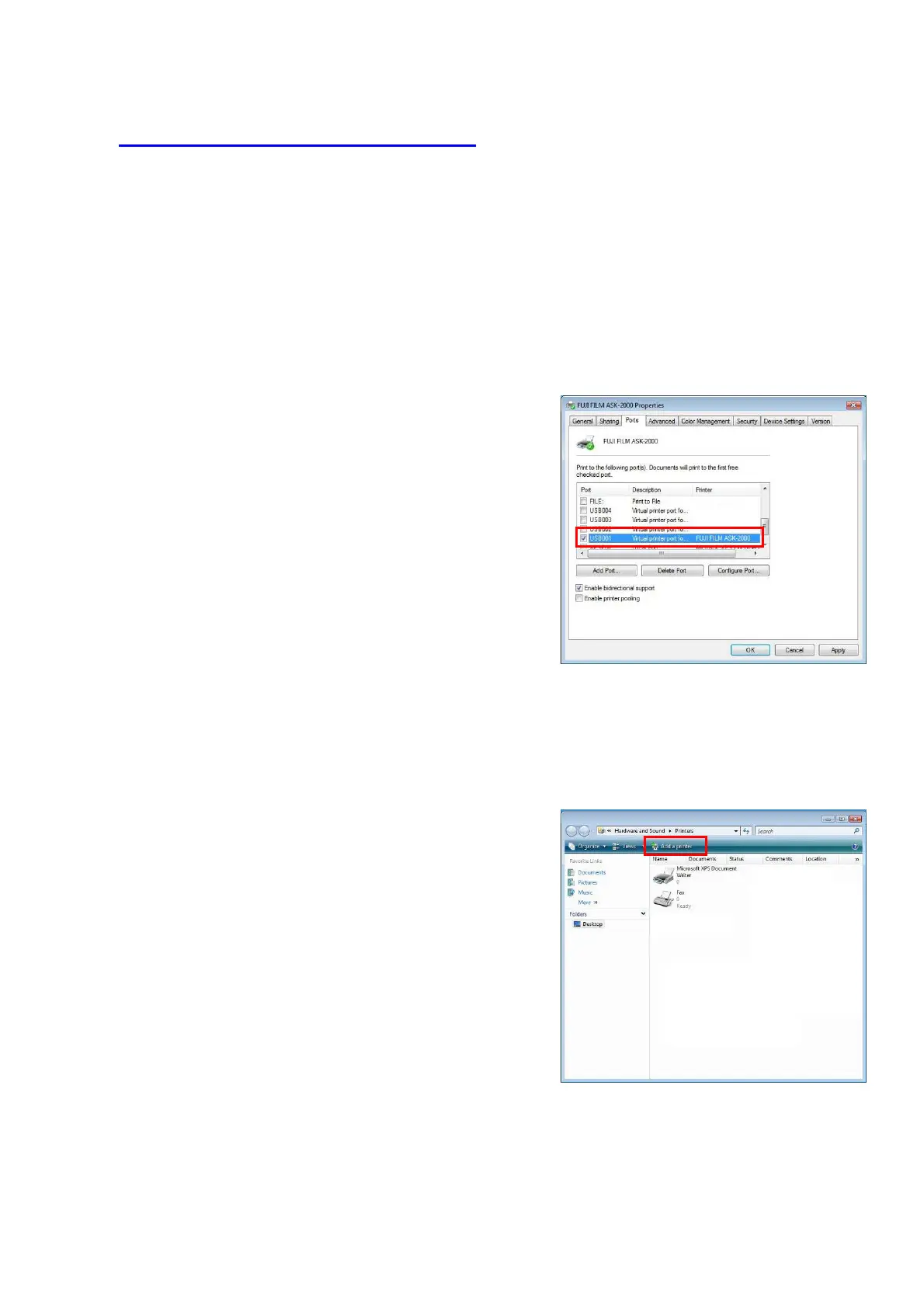
1) Check the name of the USB port now in use.
・ Click [Start]→[Settings]→[Printer].
*In case of Windows XP
Click [Start]→[Settings]→ [Printer and Faxes]
・ Select FUJIFILM ASK-2000, and from [File]
menu, go to [Properties].
・ From [Port] tab, take a memo of the USB port
name in use. For example,
“USB001”.(Fig.54)
[Fig.54]
26/28
2) Connect
the ASK-2000 to the new USB port, then turn on the printer. If hardware installation
wizard is automatically appears, cancel the wizard.
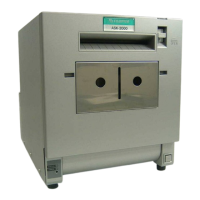
3) Setting to the new USB port.
・ Click [Start]→[Settings]→[Printer].
・ Click [Add Printer]. (Fig.55)
*In case of Windows XP
・ Click [Start]→[Settings]→[Printer and Faxes]
・ Click [File]→[Add Printer]
・ [Start the printer installation wizard] menu
appears, then click [Next].
[Fig.55]


 To Next Page