27/28
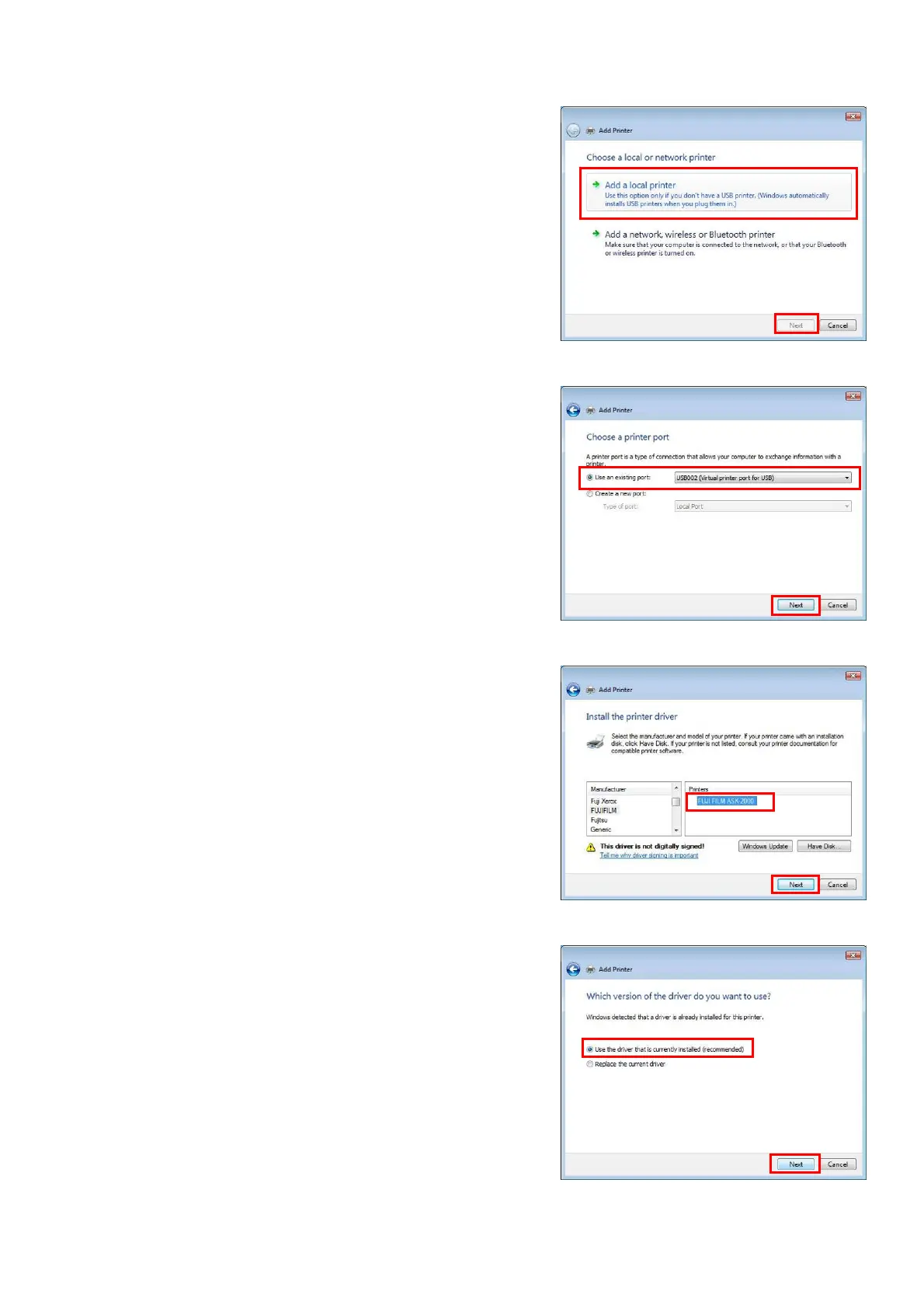
・ At the [Choose a local or network printer]
menu, select. [Add a Local printer], then click
[Next] (Fig.56)
[Fig.56]
・ From the [Choose a printer port], select [Use
an existing port], then choose the USB port
other than the one confirmed by step1, then
click [Next].For example, “USB002”. (Fig.57)
[Fig.57]
・ At the [Install the printer driver] menu,
choose [Manufacturer] FUJIFILM, Printer
[FUJIFILM ASK-2000], click [Next]. (Fig.58)
[Fig.58]
・ At the [Which version of the driver do you
want to use?] menu, choose [Use the driver
that is currently installed (recommended)],
then click [next]. (Fig.59)
[Fig.59]


 To Next Page